Acronis Learning - Enterprise Training Platform
Creating a SaaS platform for both learners and trainers that delivers hands-on virtual IT lab for Acronis software training
PROJECT CONTEXT & CLIENT
This is a CMU capstone project for an external client: Acronis, a leading backup software provider
8 months, Jan 2020 - Aug 2020
KEYWORDS
User Research, Usability Testing, Prototyping, Enterprise Product, End-to-end Product Design, Data Visualization
MY ROLE
Design Research Lead 🎩, UX/UI Designer 👒,Website Front End Developer 🧢



Problem
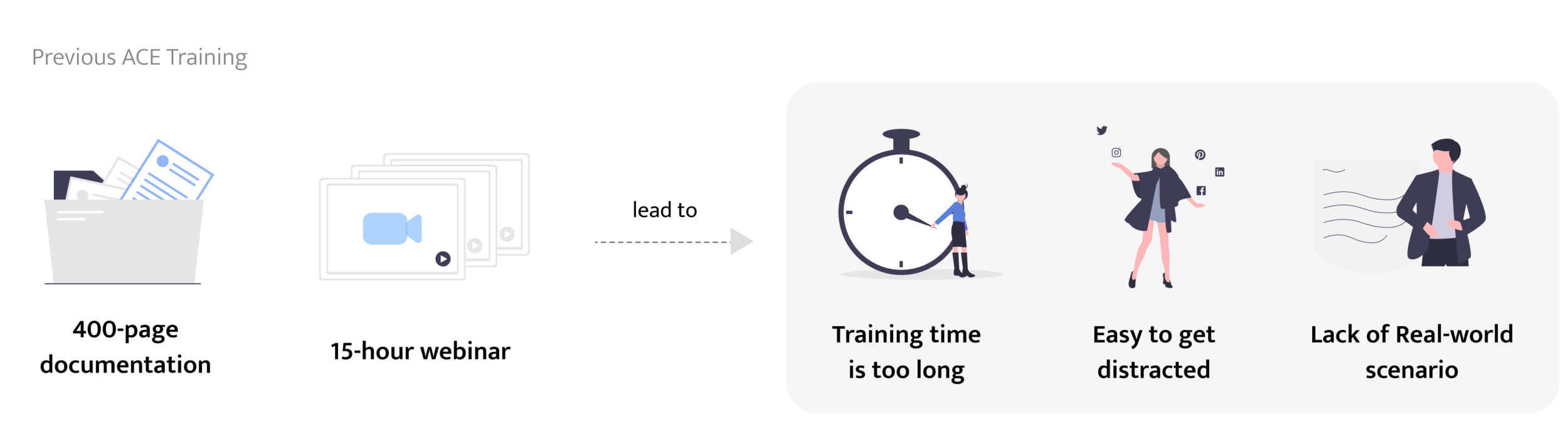
The training is long, not engaging, and lack of real-world practice.
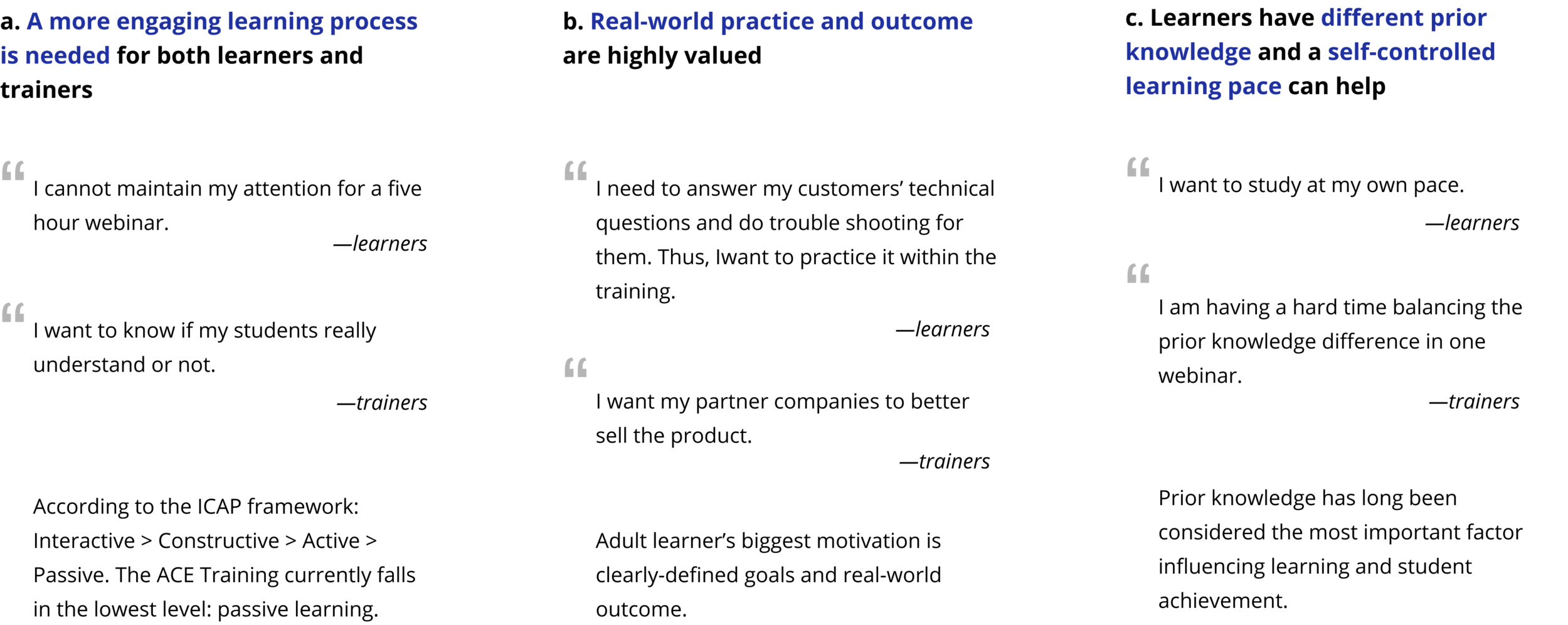
Through leveraging learning science and conducting user interviews, we found that the biggest problem with the current training is that it’s too long and not engaging. Moreover, adult learners need to see the real-world outcome to keep them motivated. By solving this problem, learners (IT generalist in Acronis partner company) can better sell the product.
Impact
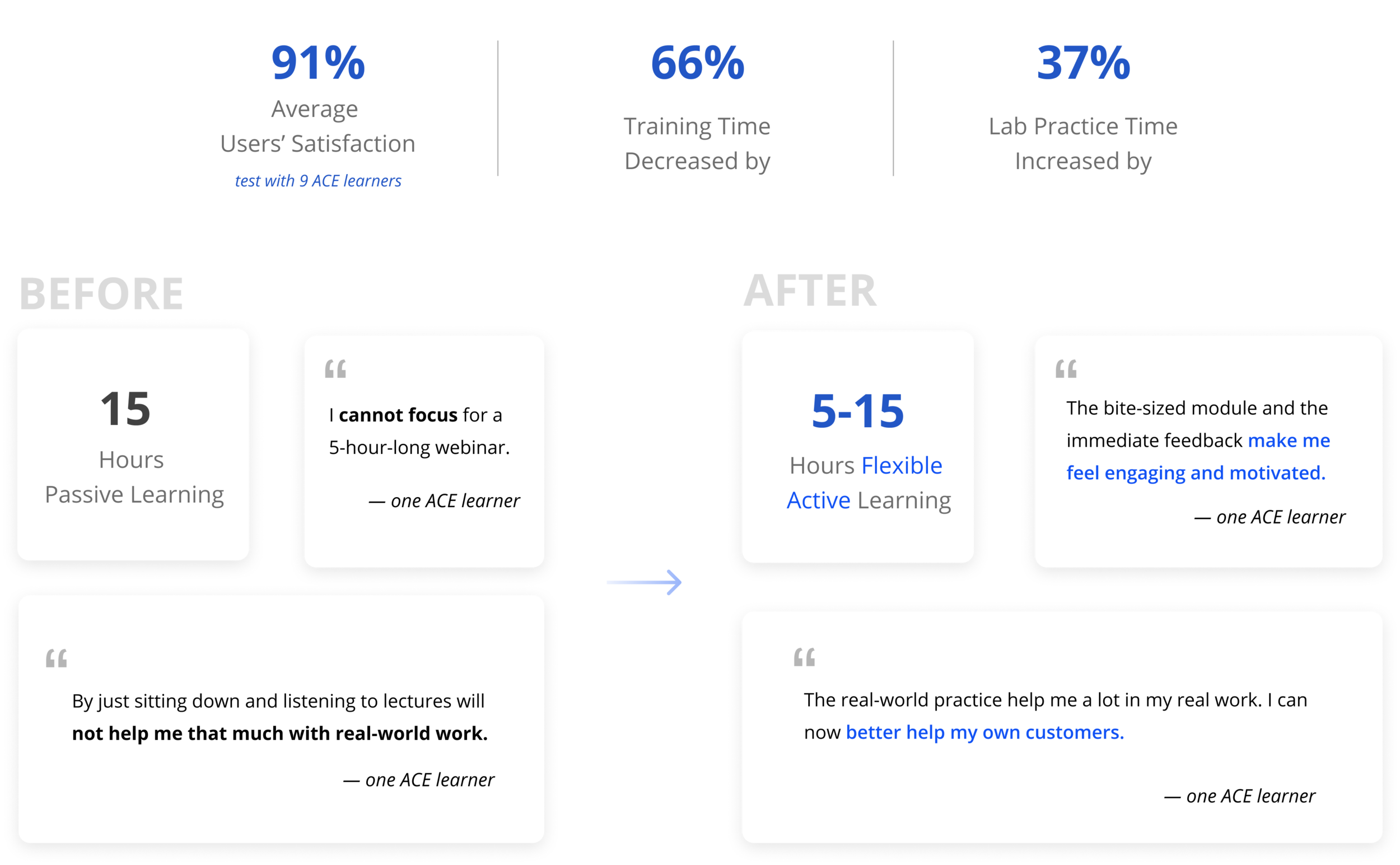
Solution
An ideal journey map that provides a more interactive and scenario-based learning experience.
For the research phase, We designed a detailed learner journey map that gives learners self-controlled learning pace and provides them with real-world practice opportunity.
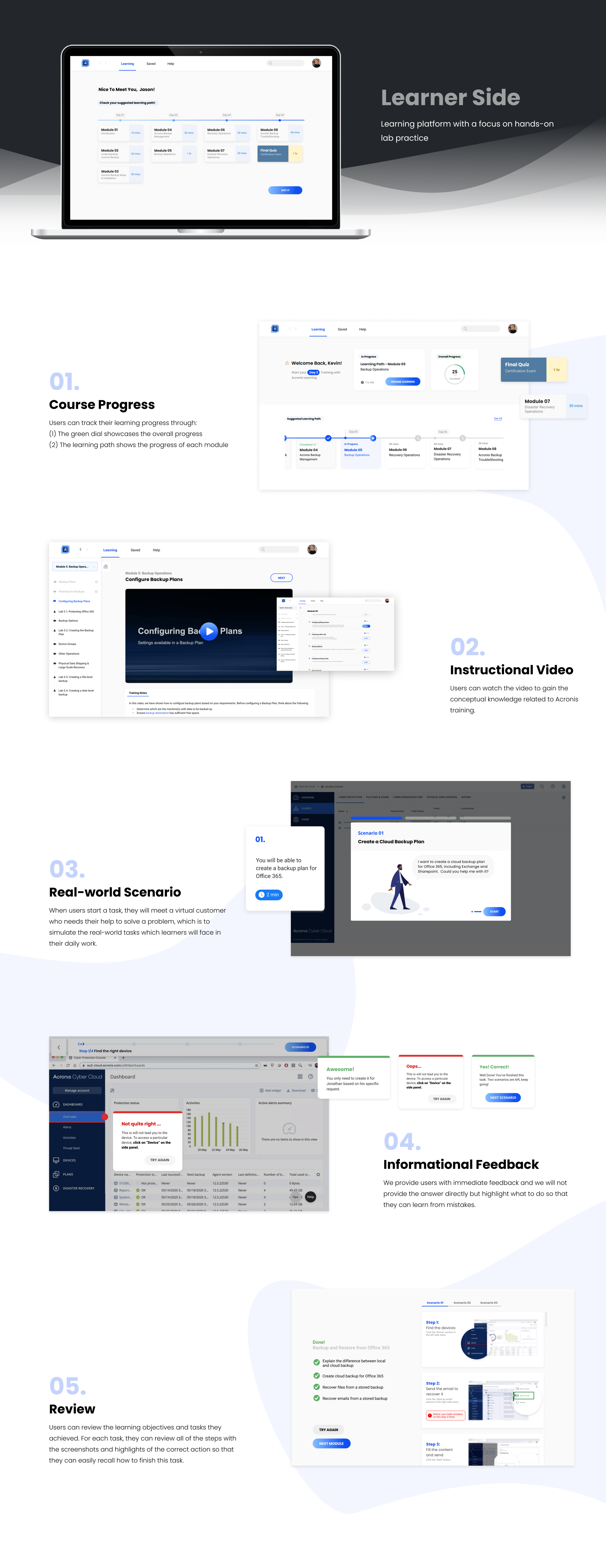
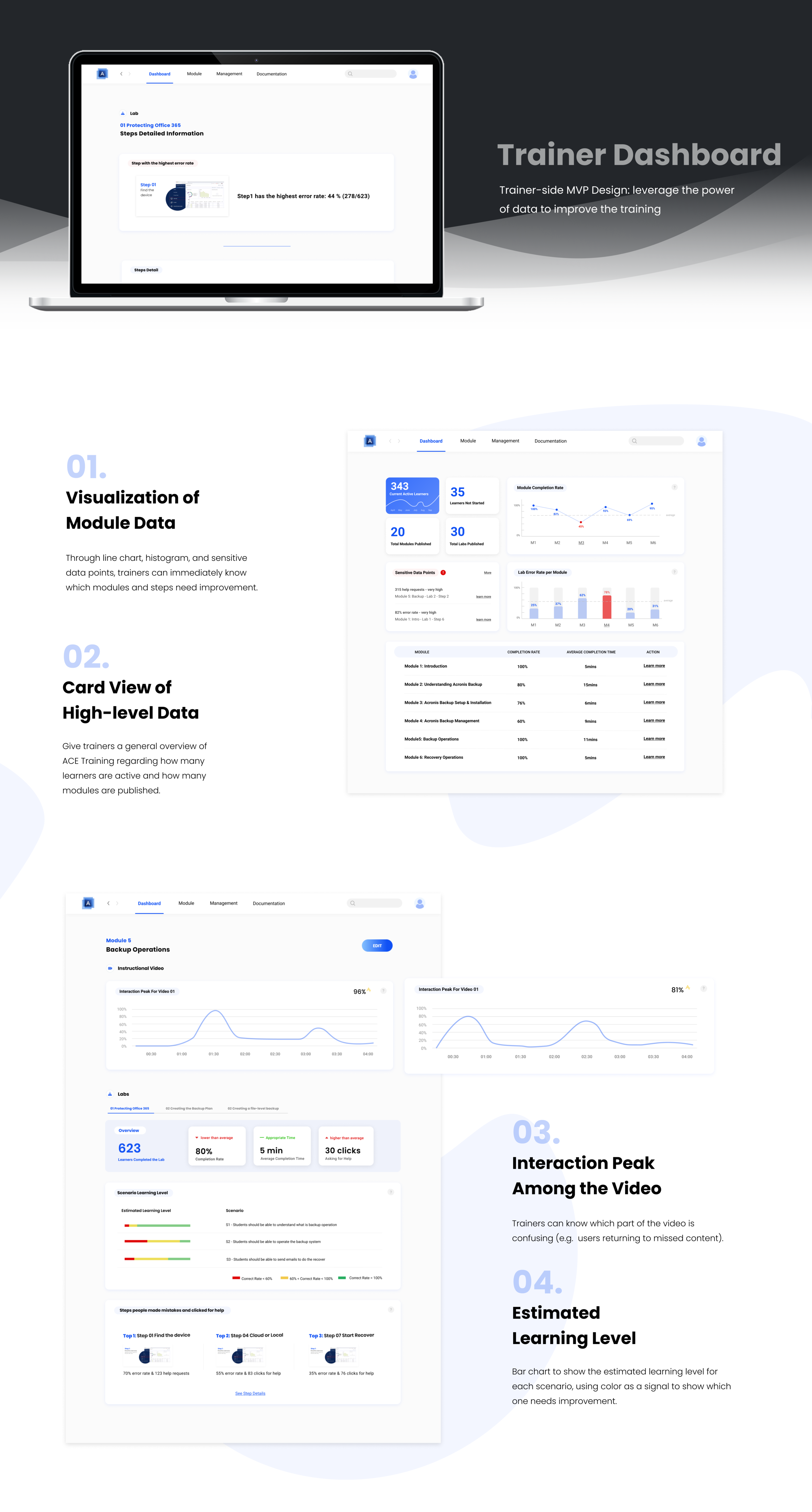
An engaging and self-paced learning platform with a focus on hands-on activity & a dashboard for trainers to improve the course
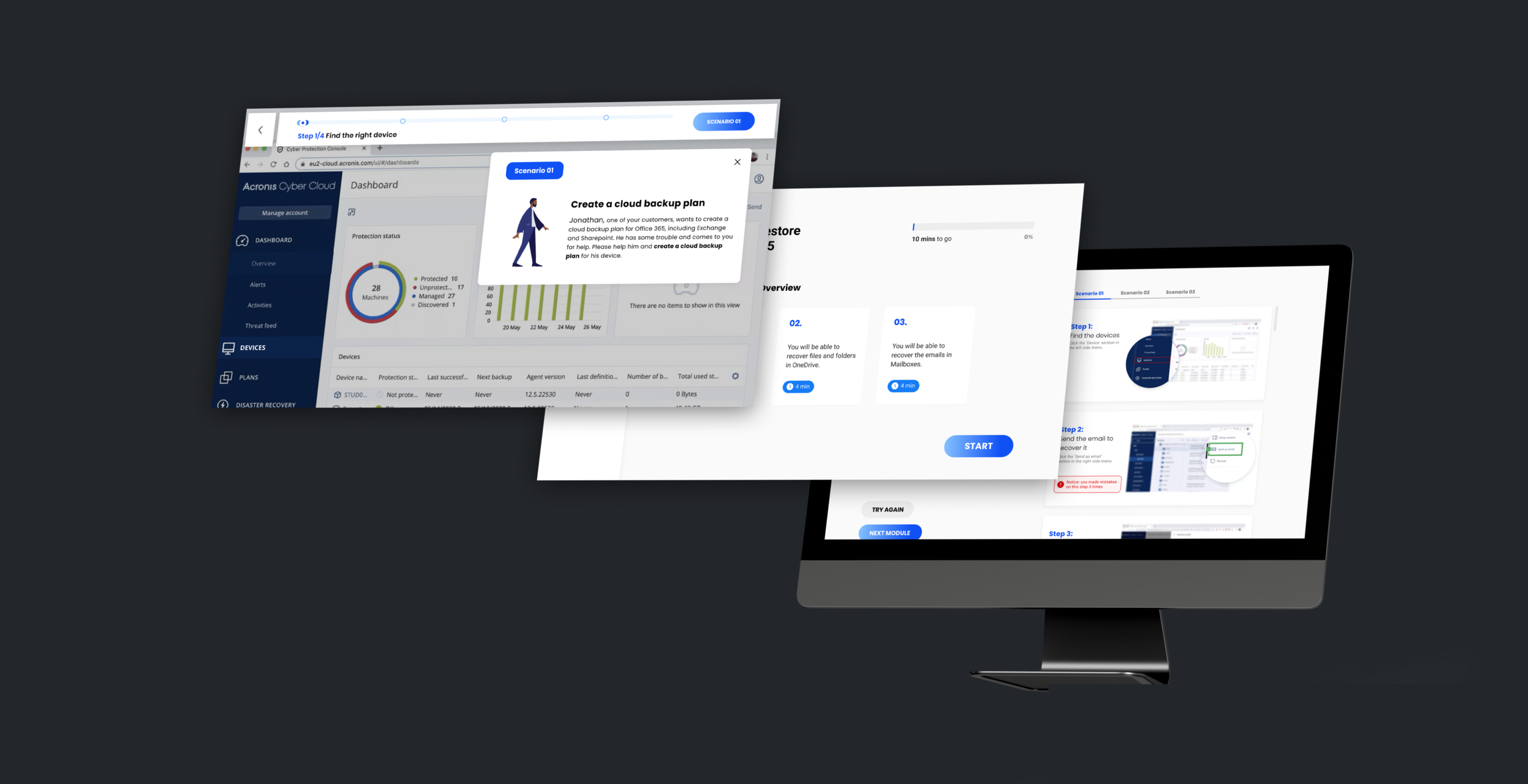
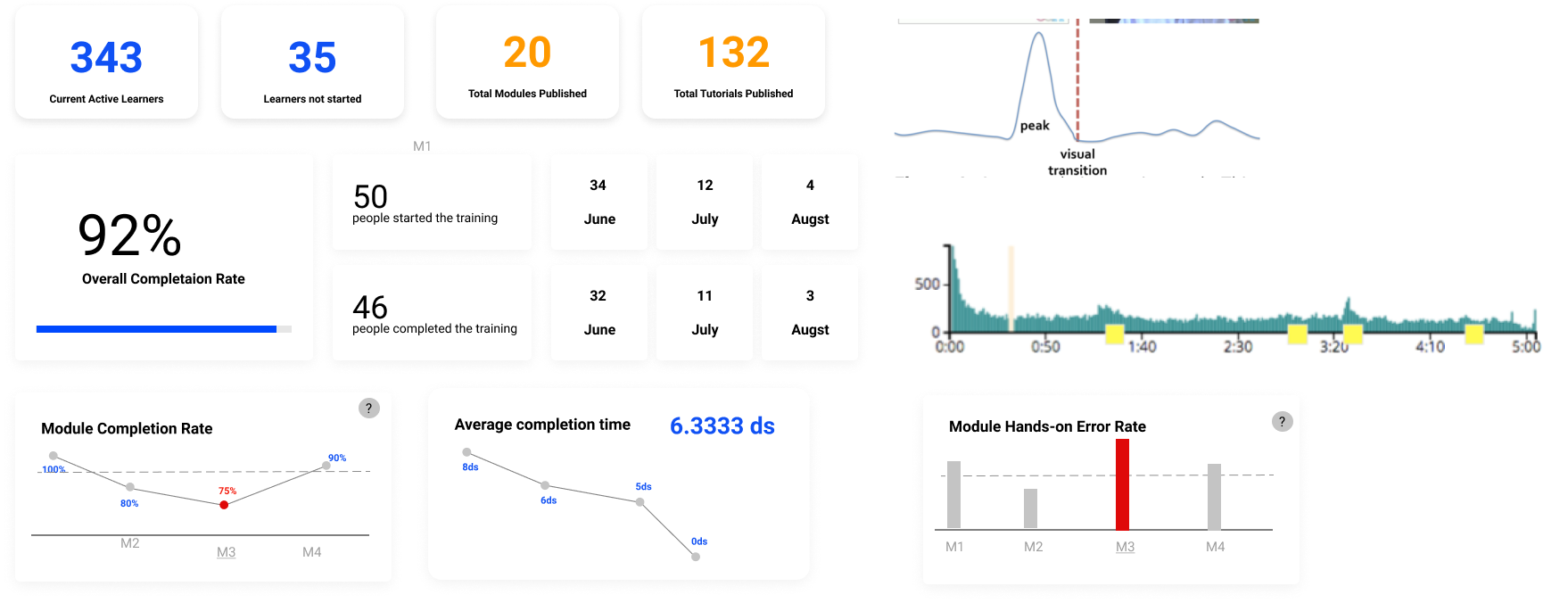
For the design phase, we delivered a working prototype. Learners can watch the videos and directly play with Acronis Backup products on this platform. They will get instant guidance and feedback during the hands-on practice in order to solve the real-work tasks for their customers. On the trainer side, we created a dashboard to help them easily get insights from the learning data to iterate on the training.

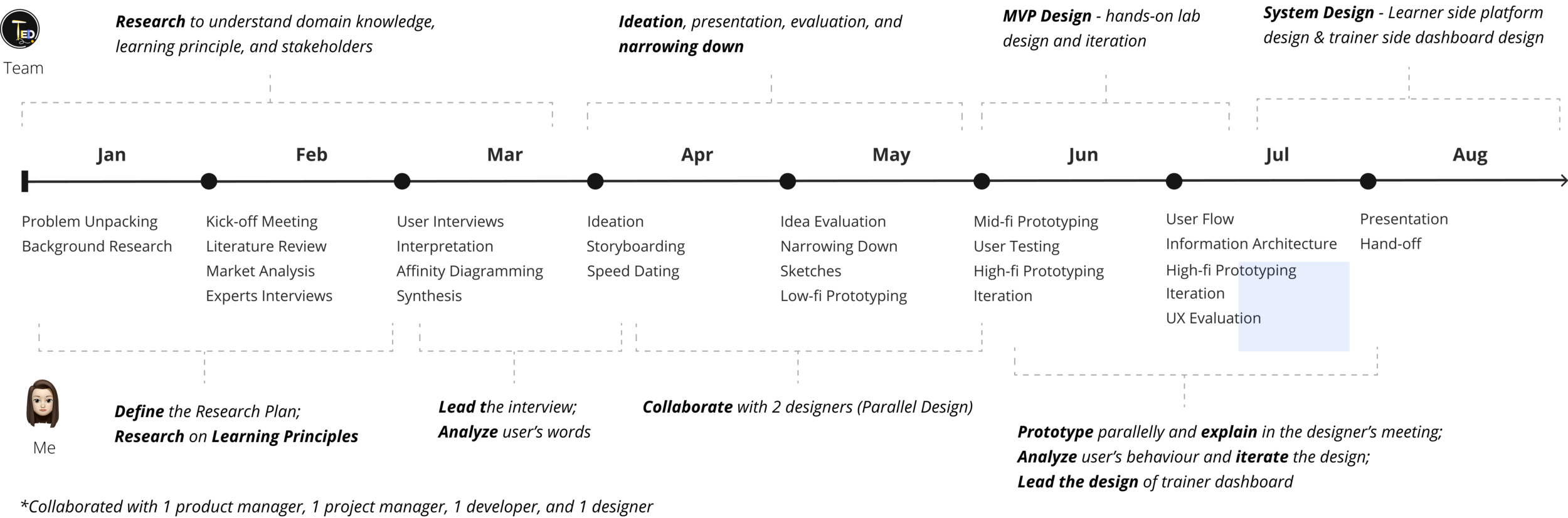
Research Phase Timeline
Who are the stakeholders?
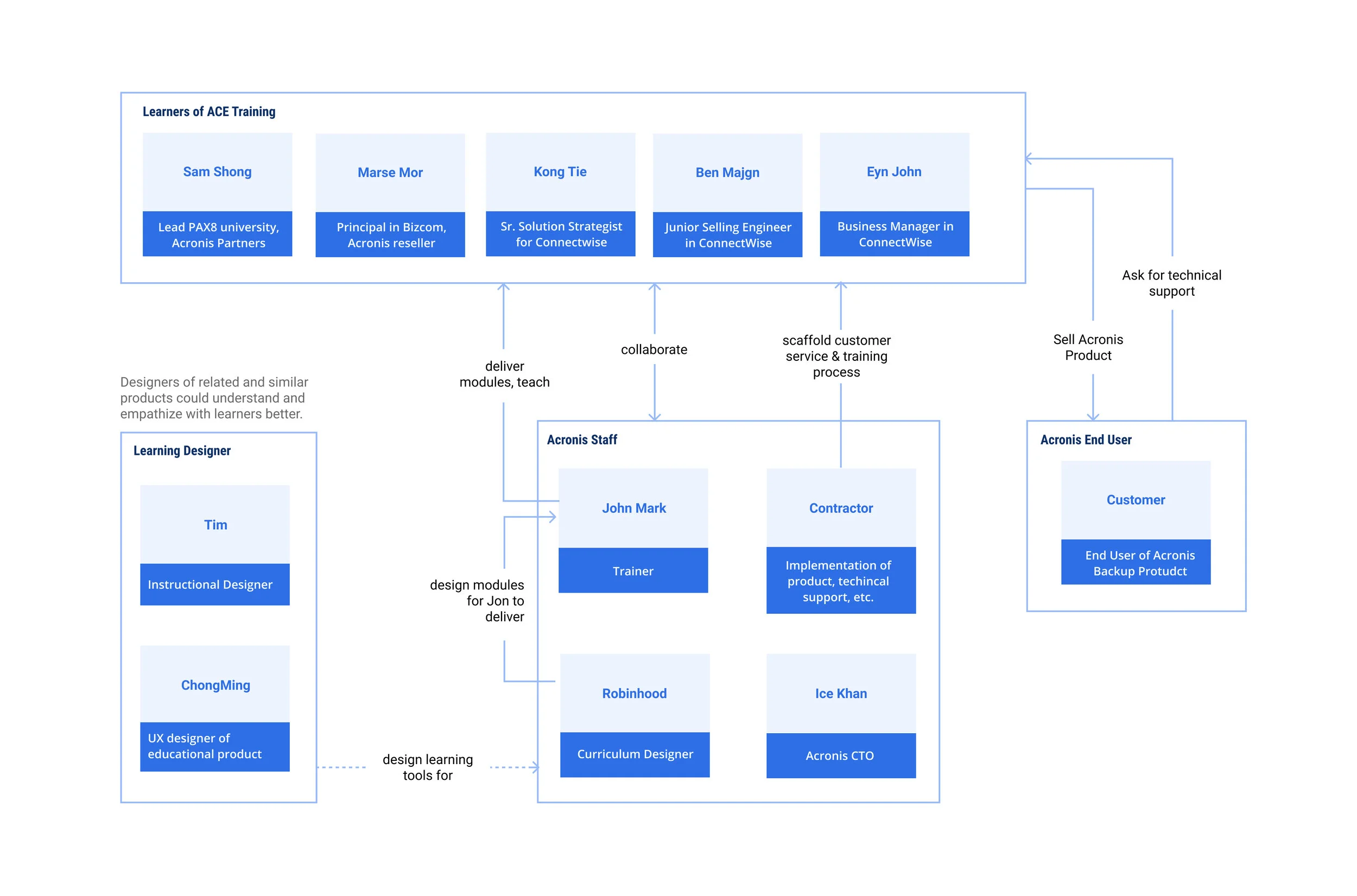
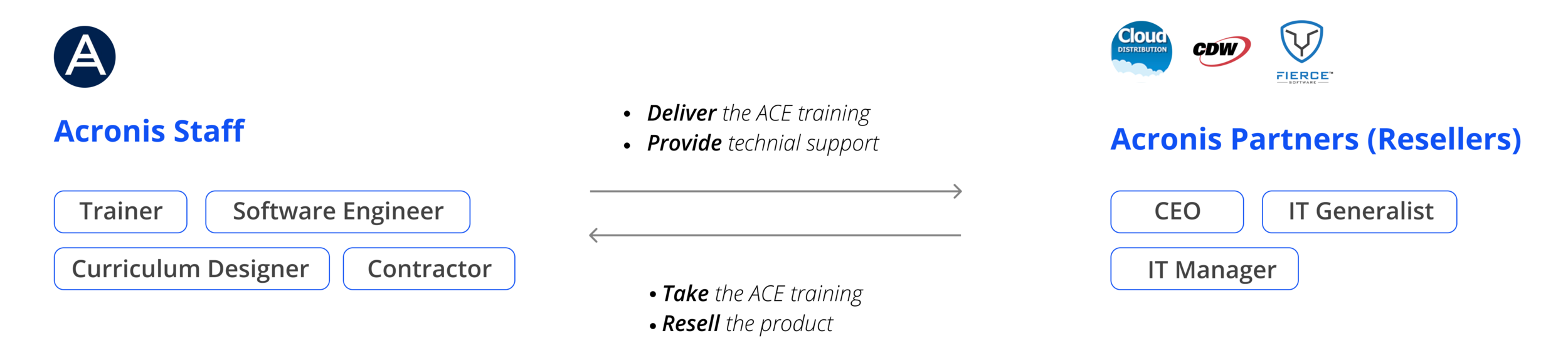
The learners are from Acronis’s partners' companies. They need to learn the software to resell and provide technical support for their customers, which are the end-users.
In Short…
Who are the users?
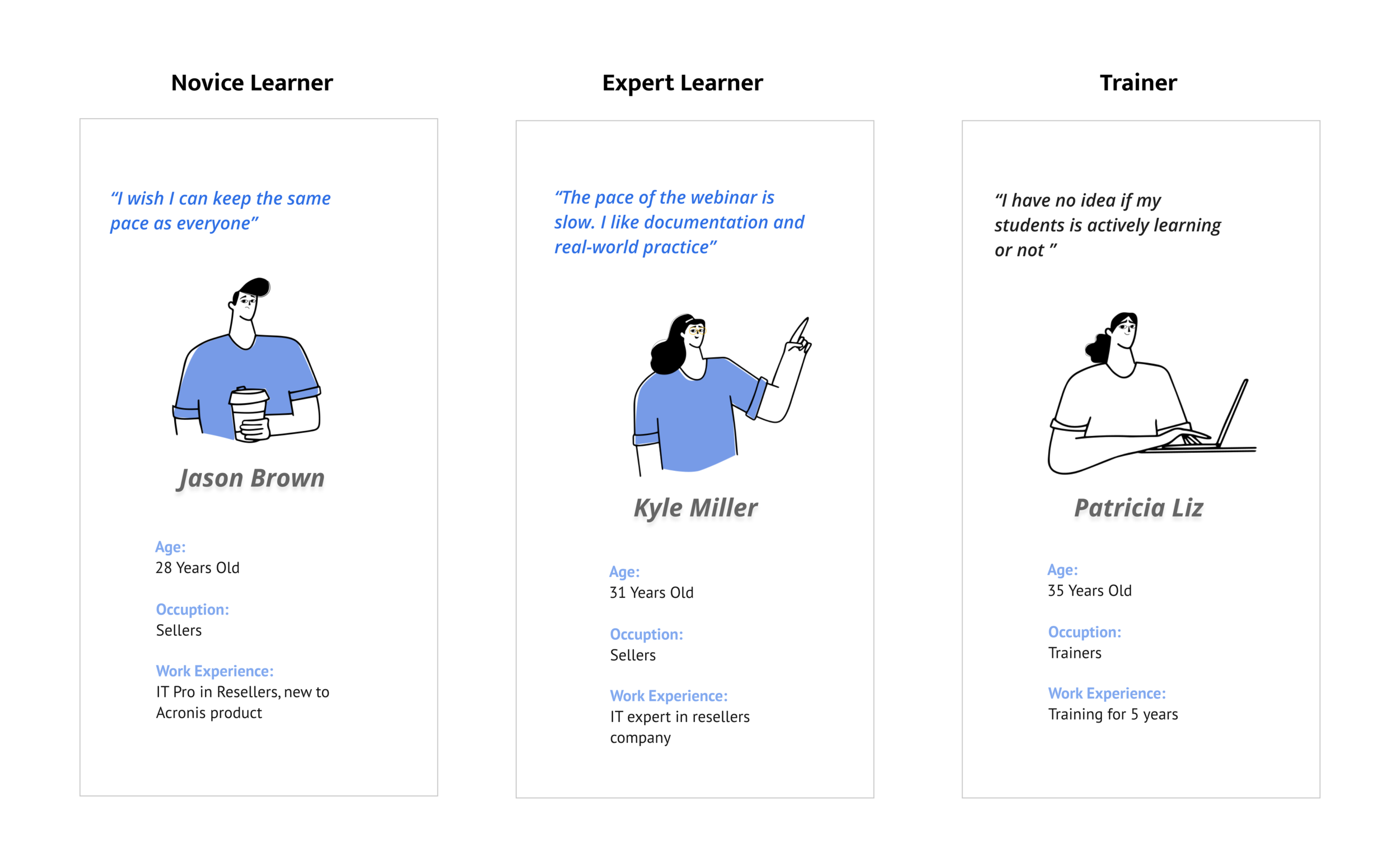
We segmented our user groups into three categorizes: the novice learners who are new to cybersecurity or the Acronis product; the expert learners who have experience with the Acronis product; and the trainers who teach the ACE training.
What’re the pain points and needs?
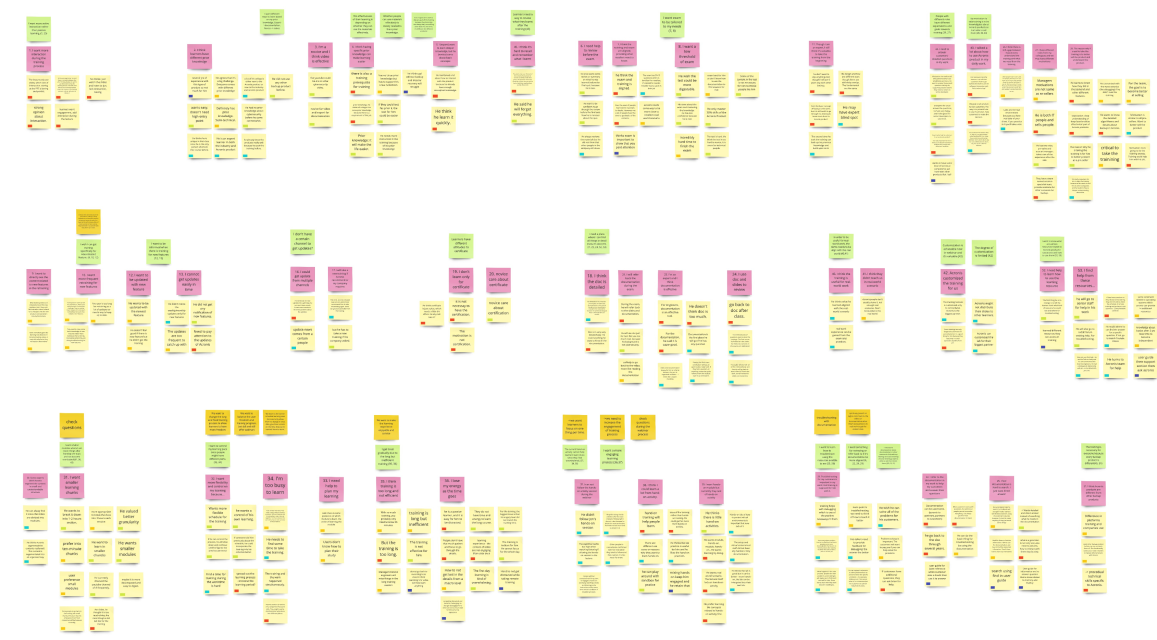
-Interpretation & Affinity Diagramming
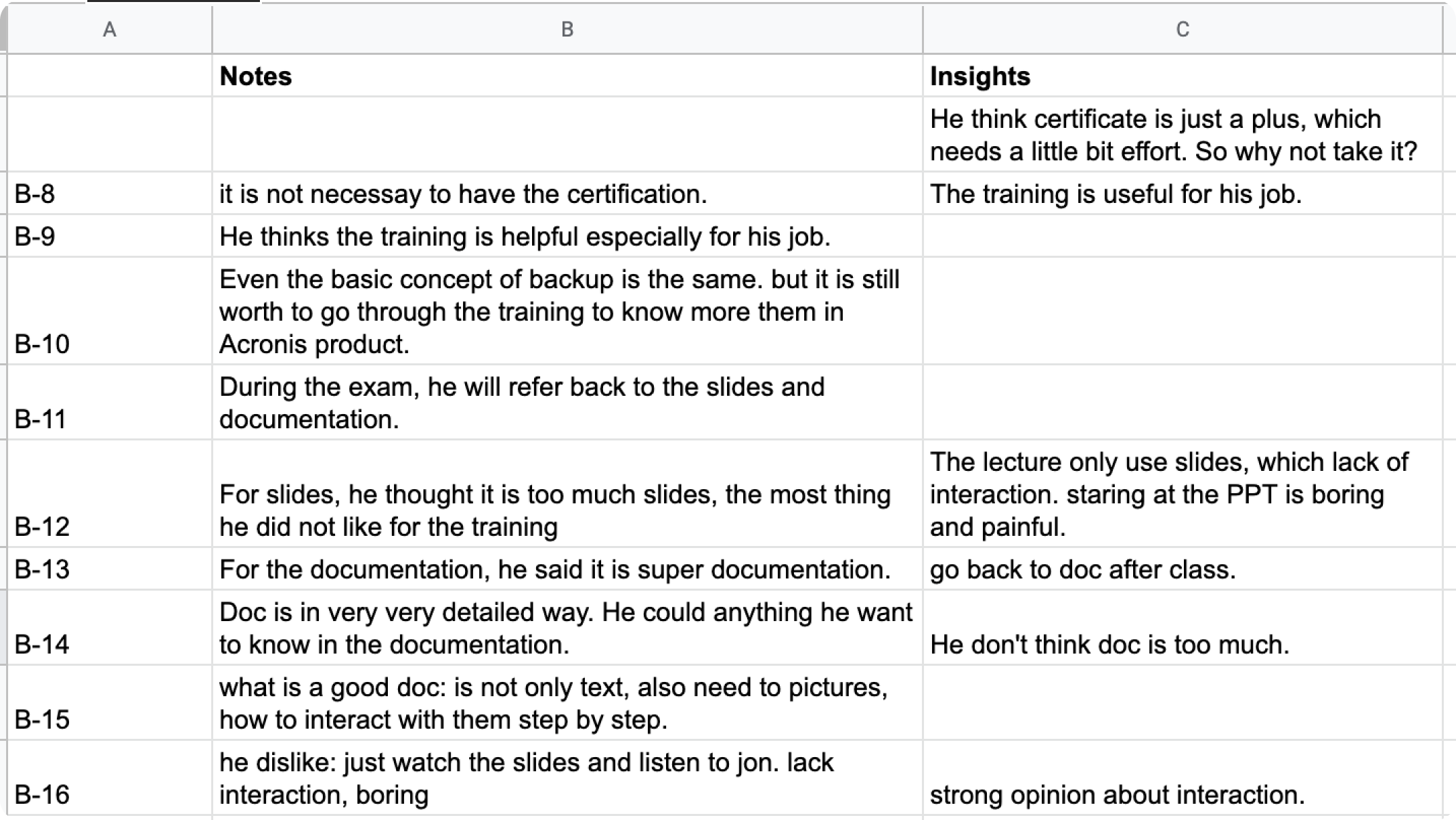
We interviewed different stakeholders listed above and conducted interpretation session to understand what our interviewees value through analyzing their words sentence by sentence.
-Current Learner Journey Map
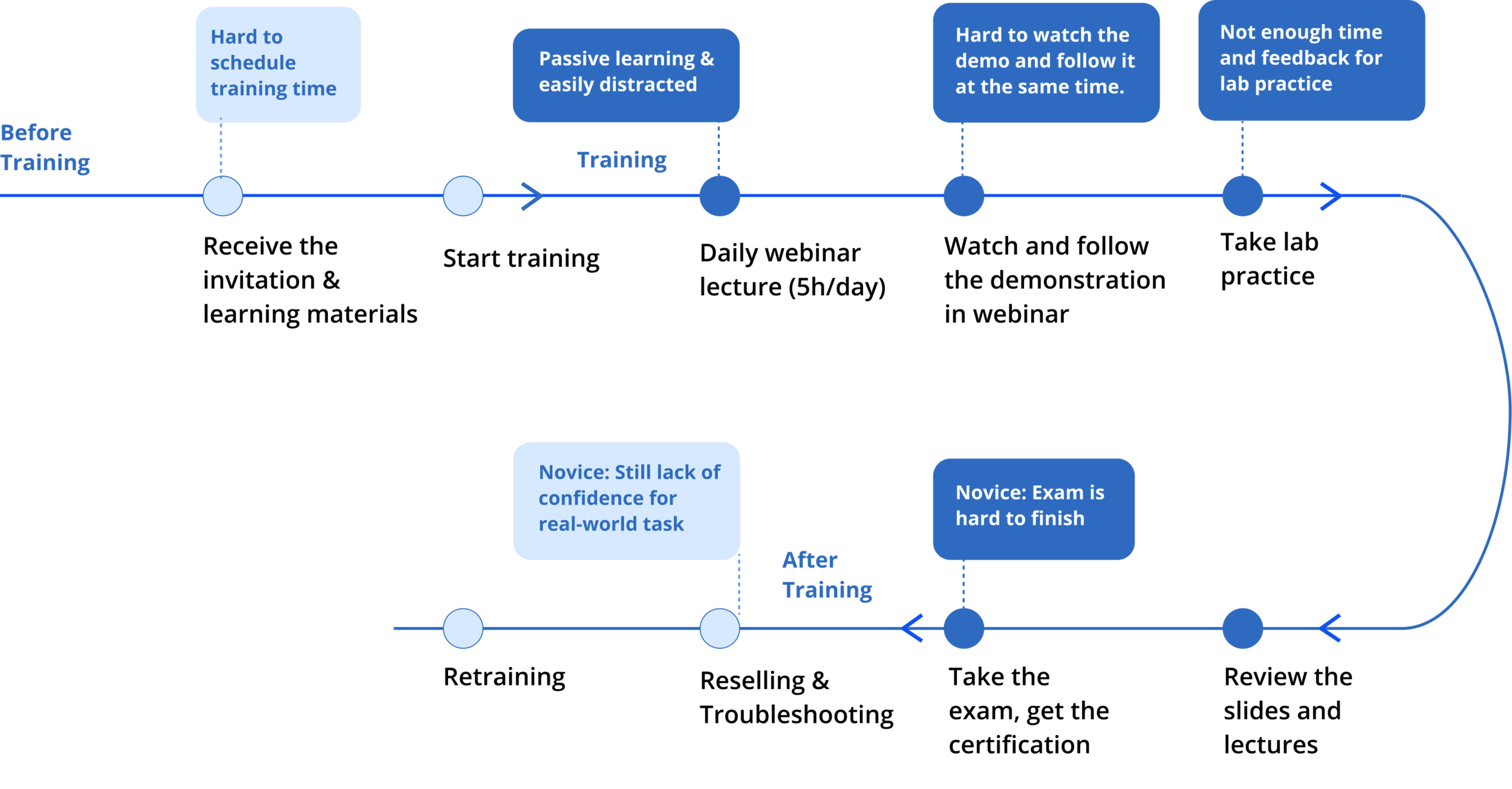
We put ourselves in learner’s shoes and identify their frustrations before/along/after the training.
What e-learning principles can be integrated?
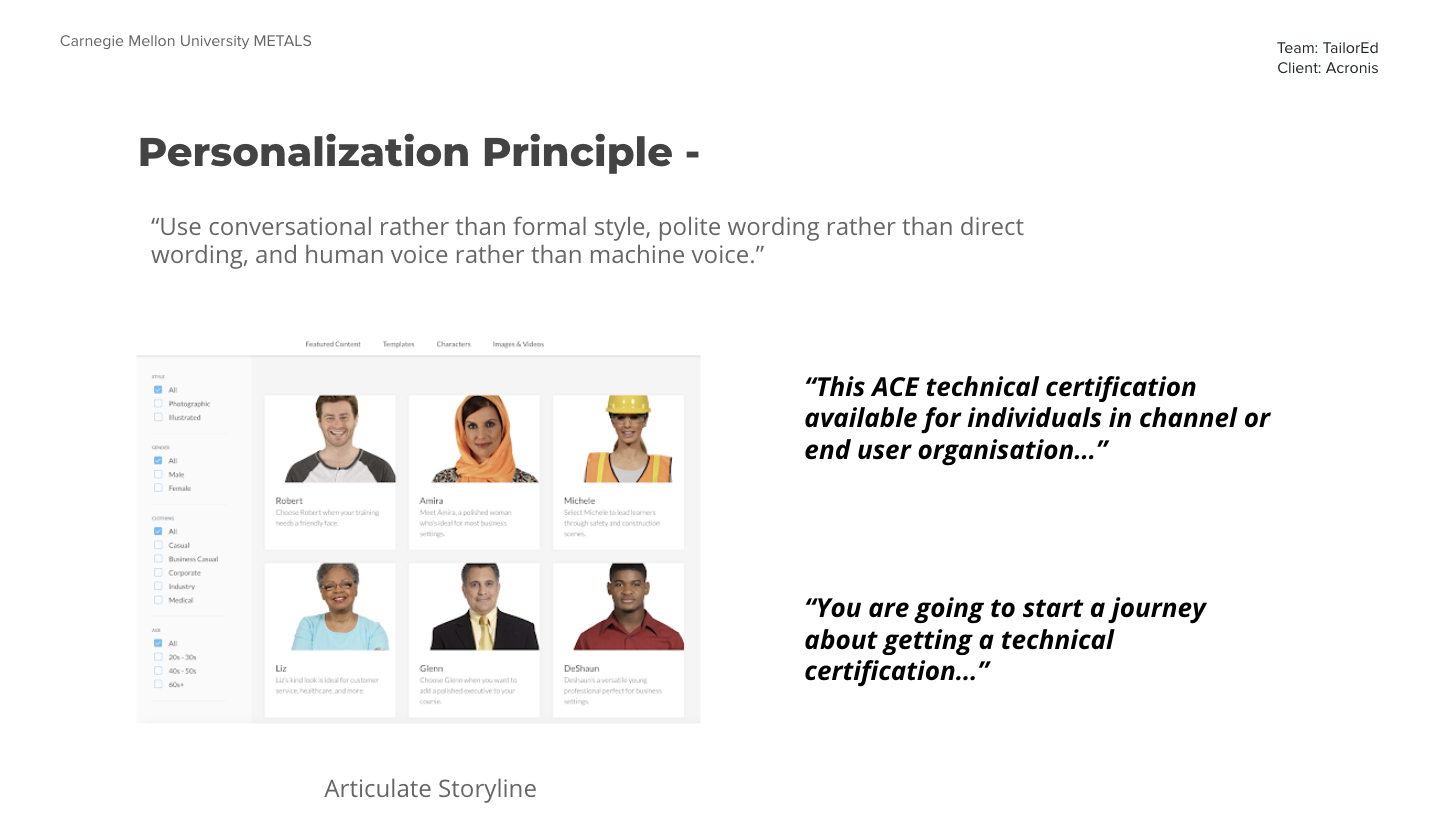
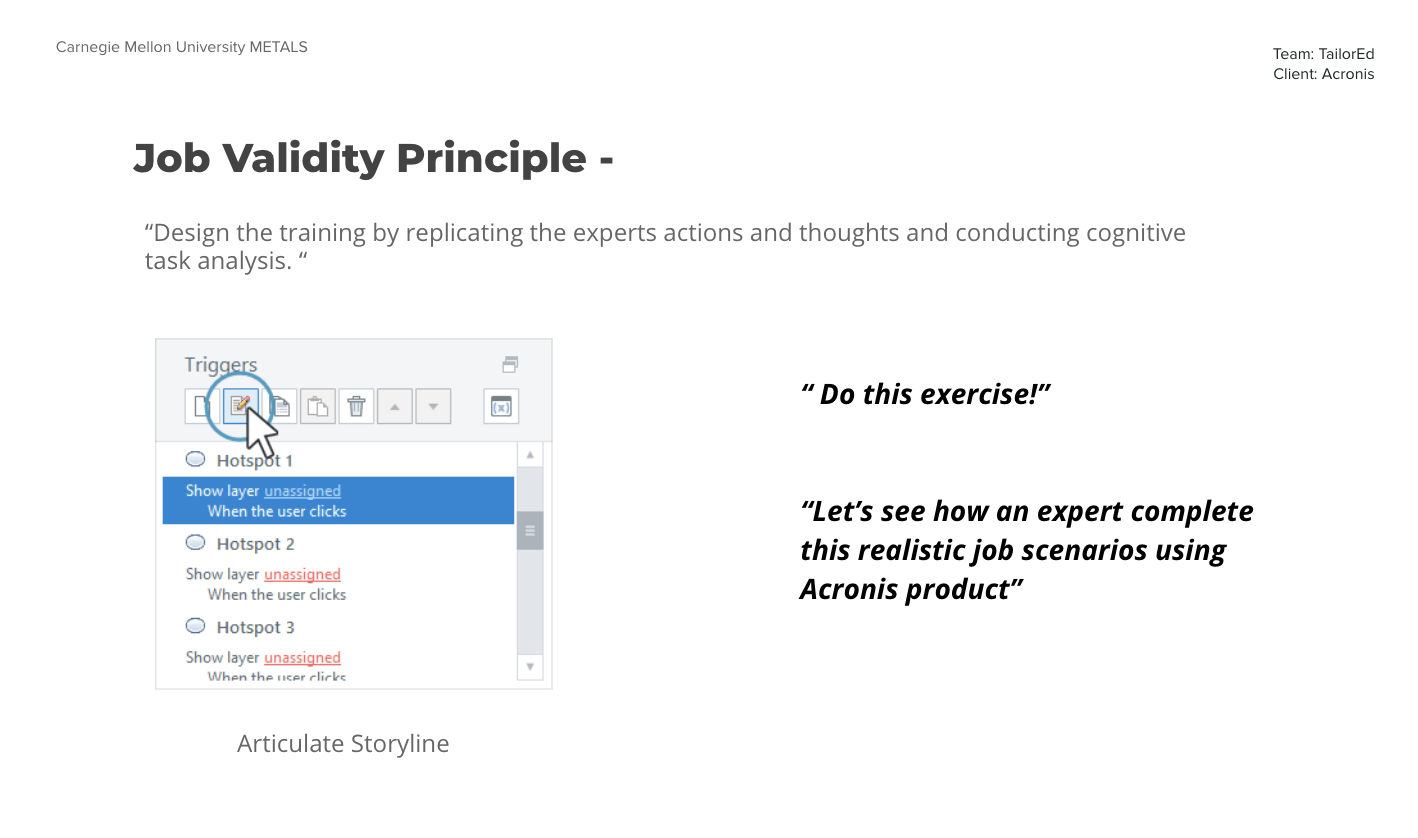
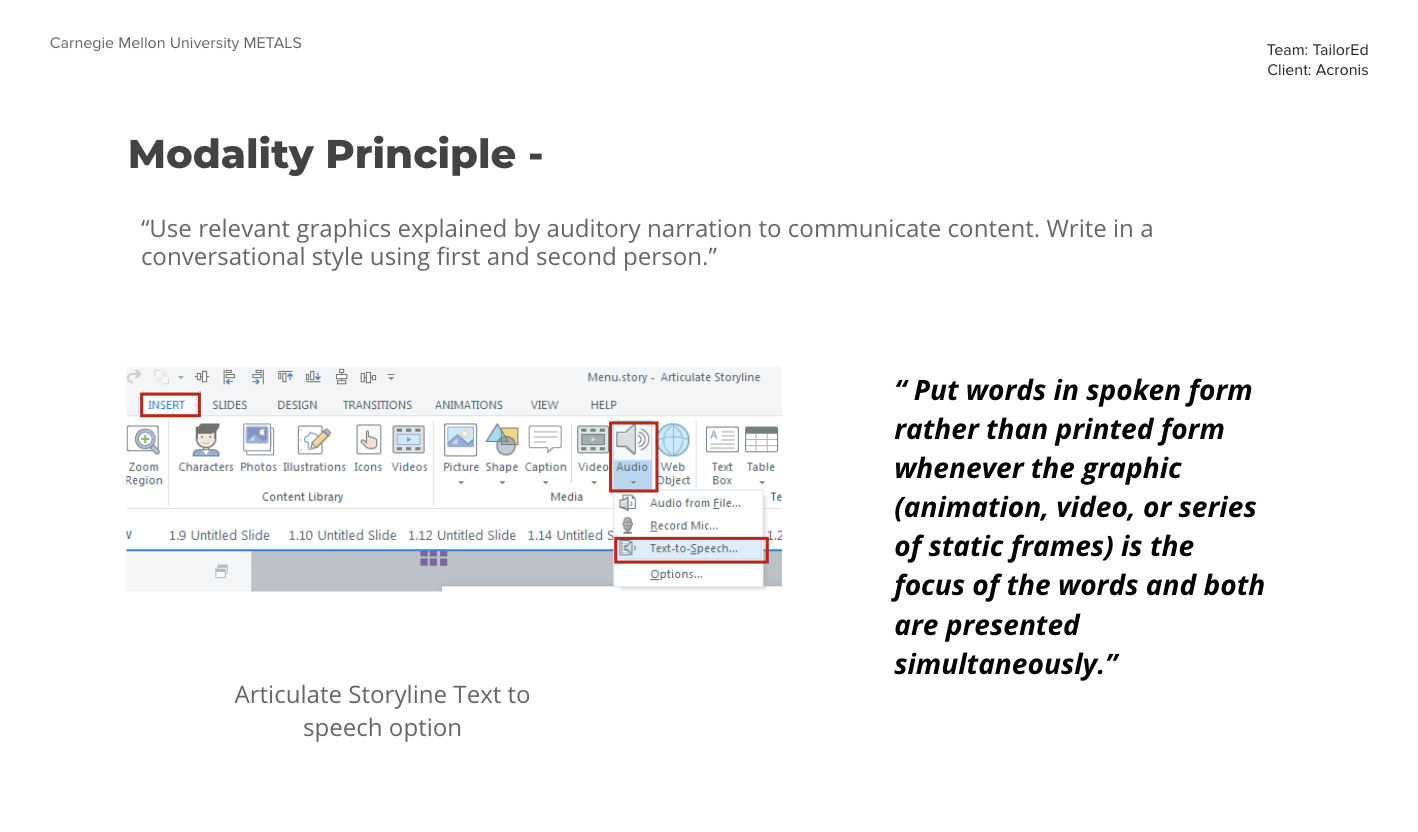
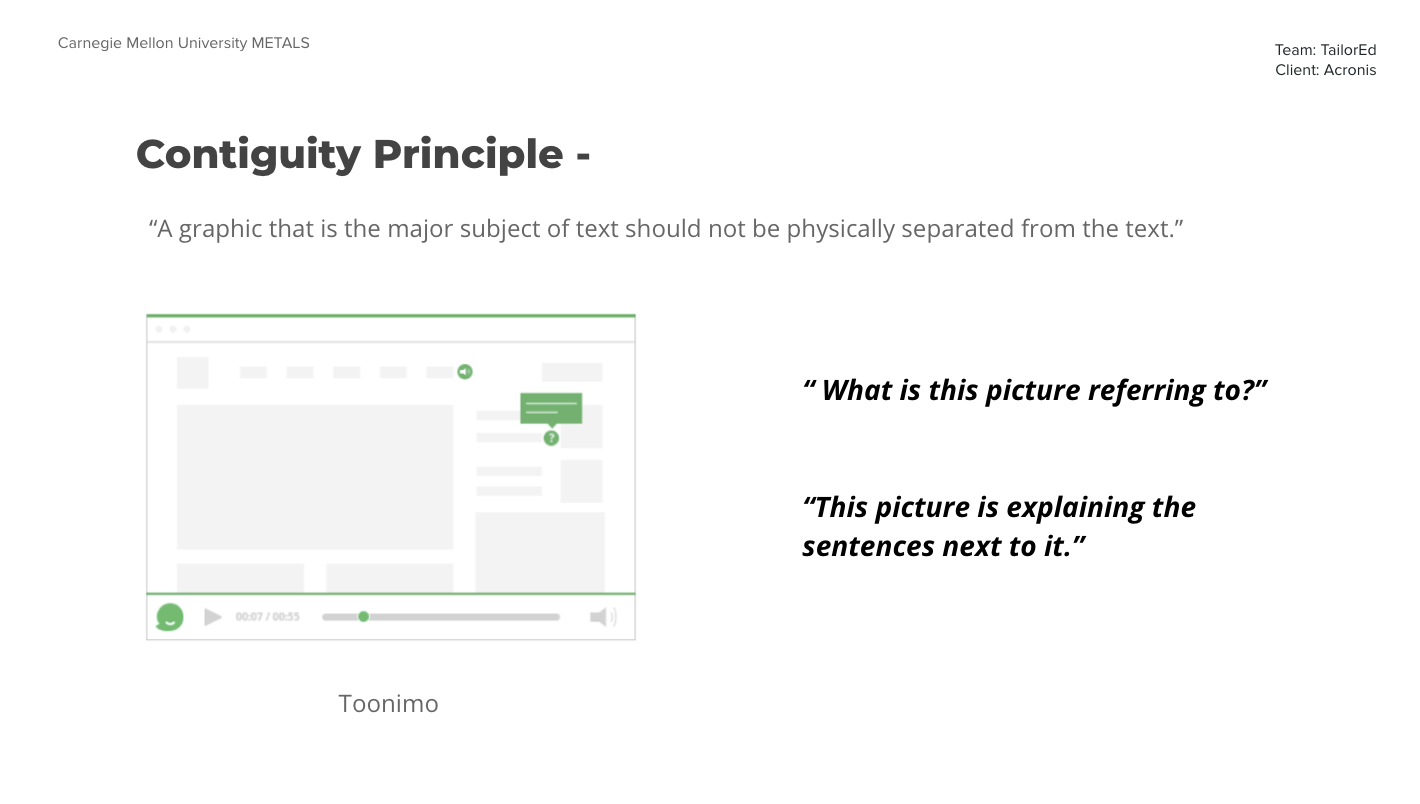
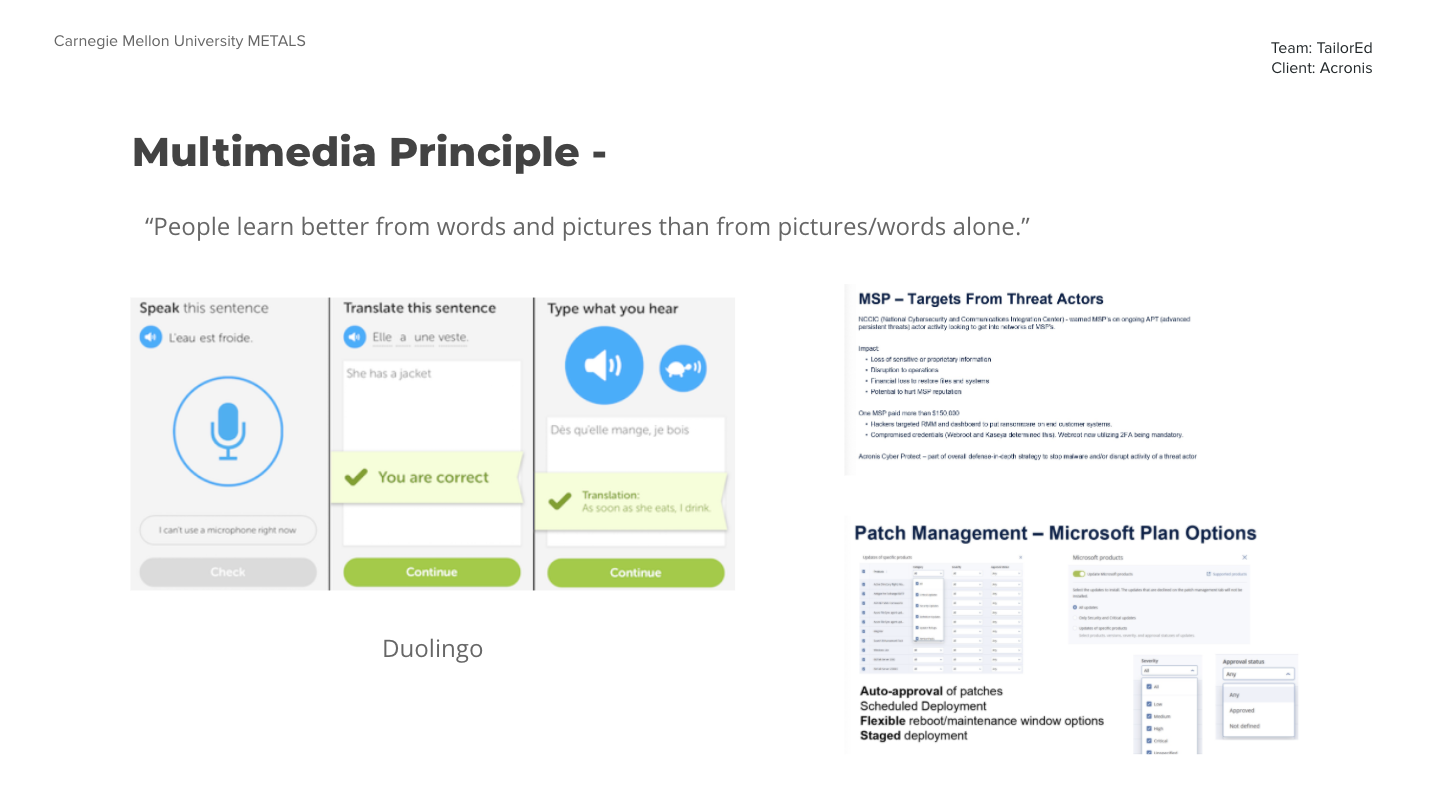
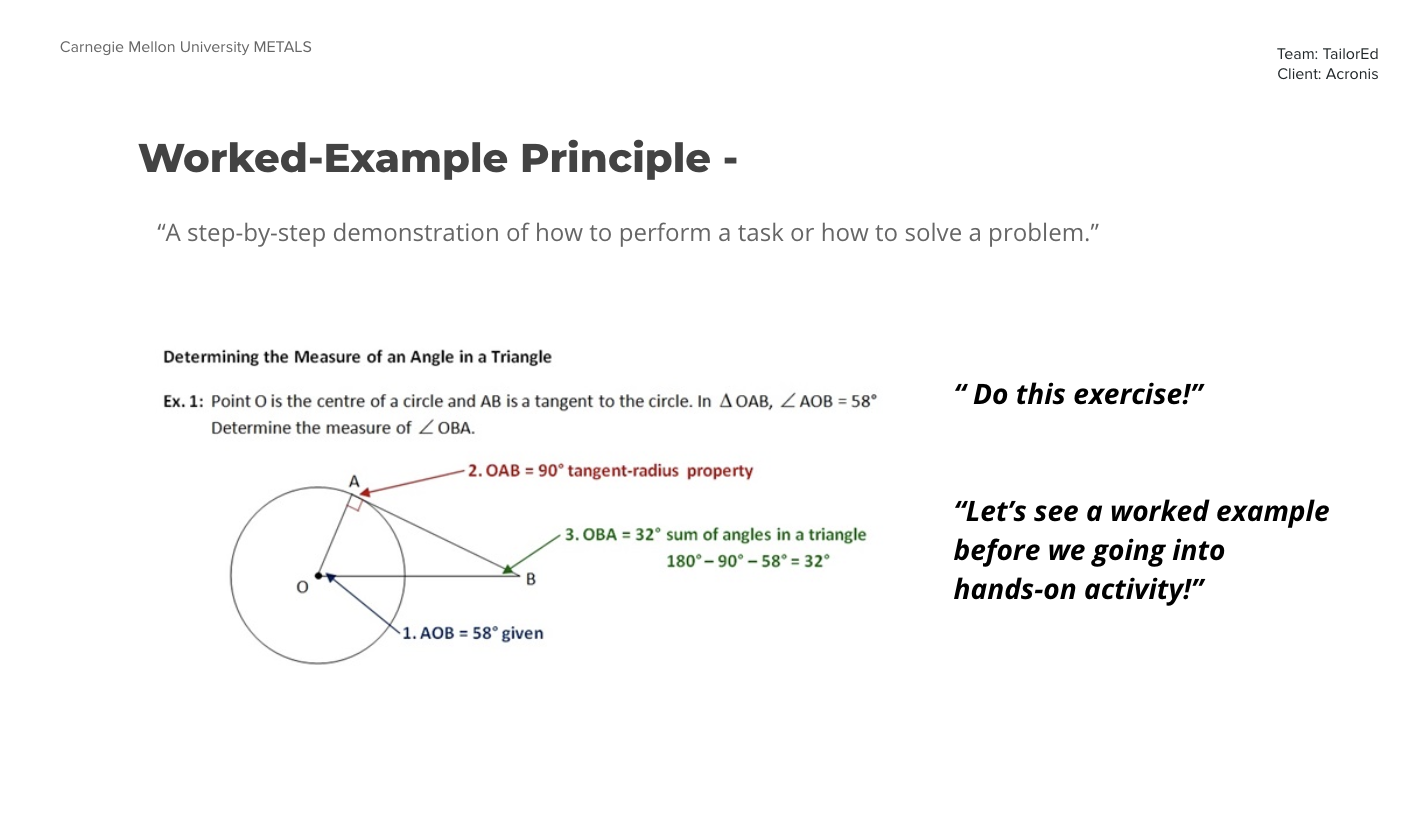
Using our knowledge of educational technology and applied learning science, we picked up a list of authoring tools and digital adoption tools to analyze what learning principles can be easily implemented and what features can facilitate production.
How to generate & test ideas?
-Storyboarding & Speed-dating
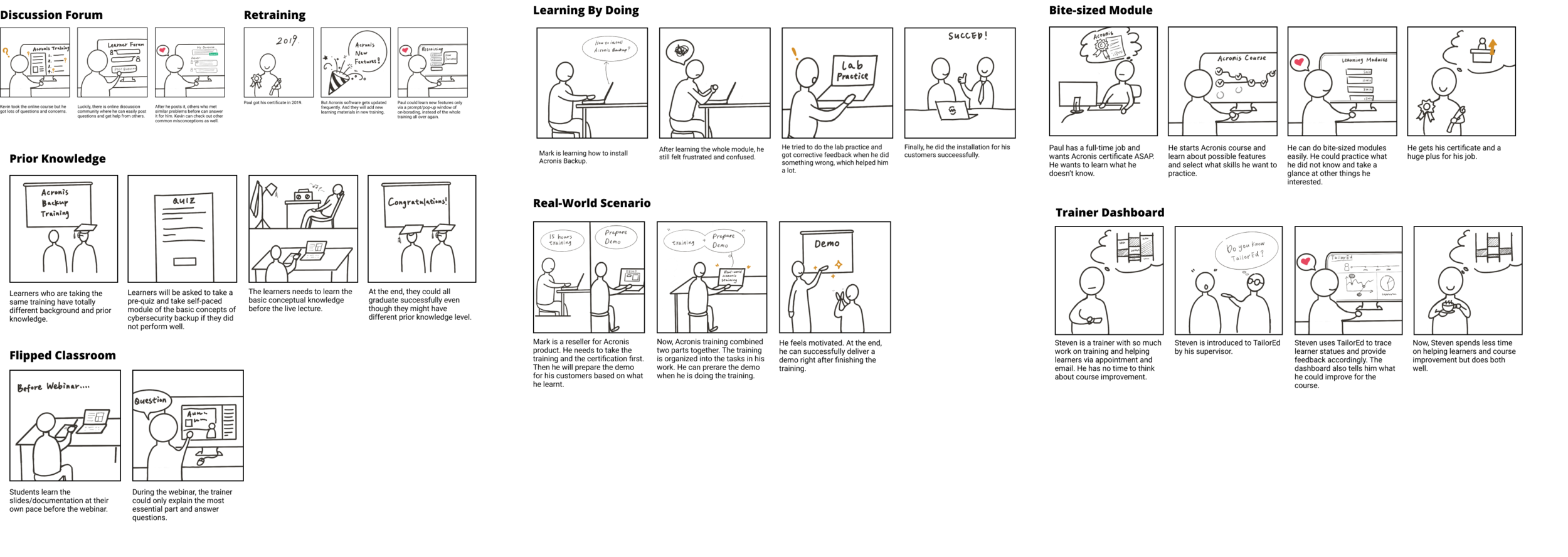
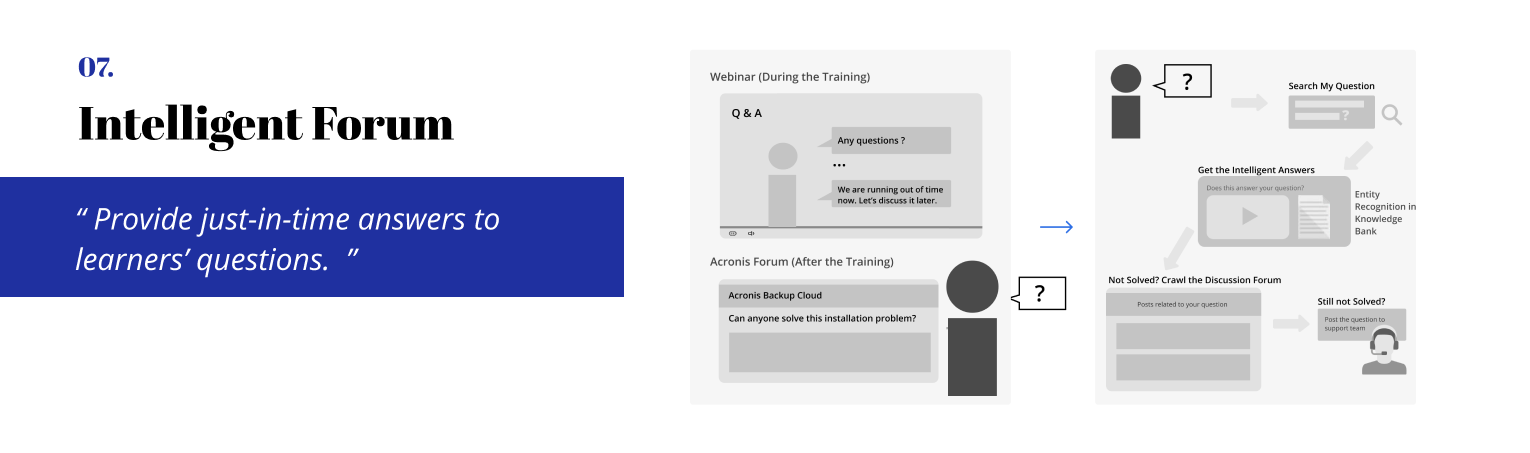
We drew a series of storyboards, including the ideas of online forum, learner and trainer dashboard, learning by doing, bite-sized module, prior knowledge, retraining, real-world scenario, and flipped classroom. For each frame, we wrote a concise description in a storytelling way.
-Low-fi Components Prototyping
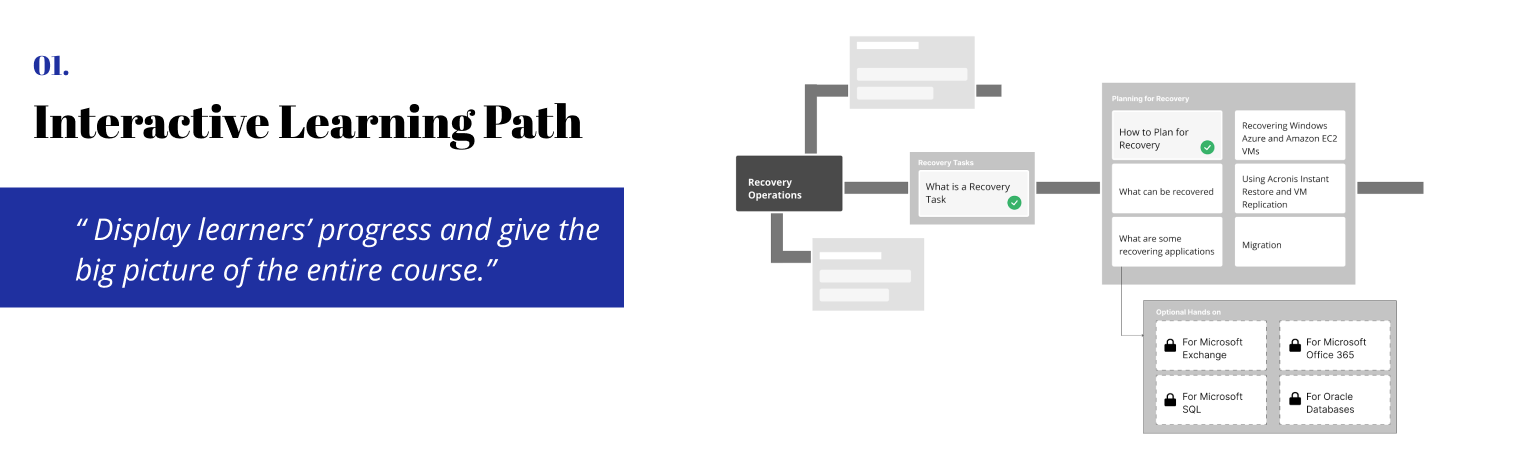
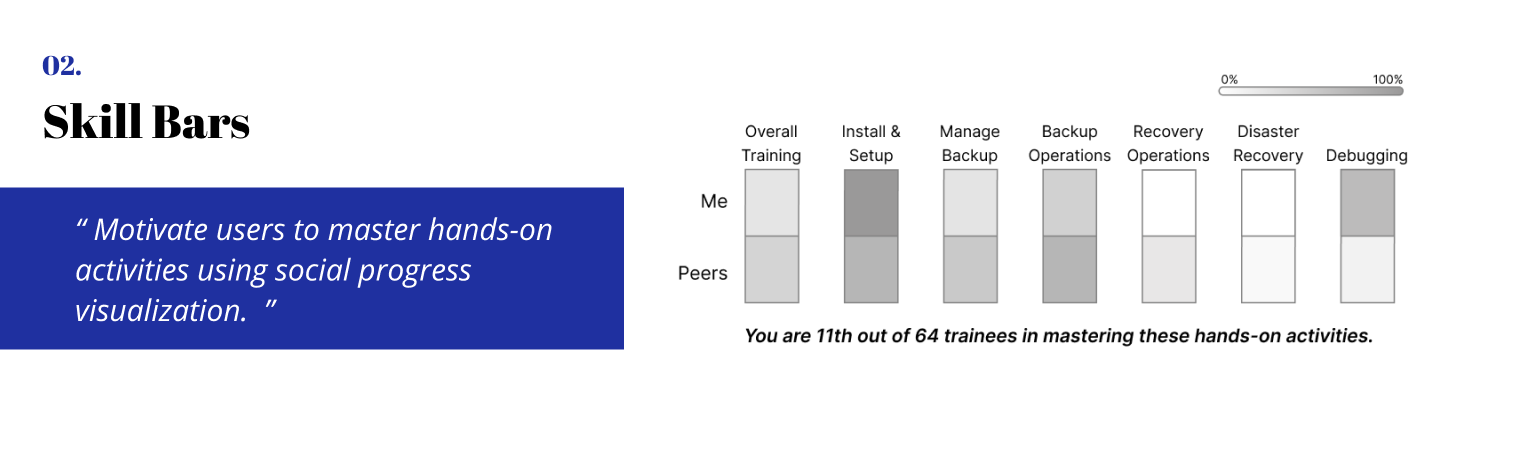
We revised and picked 7 ideas after user testing and combined them into an ideal user journey.
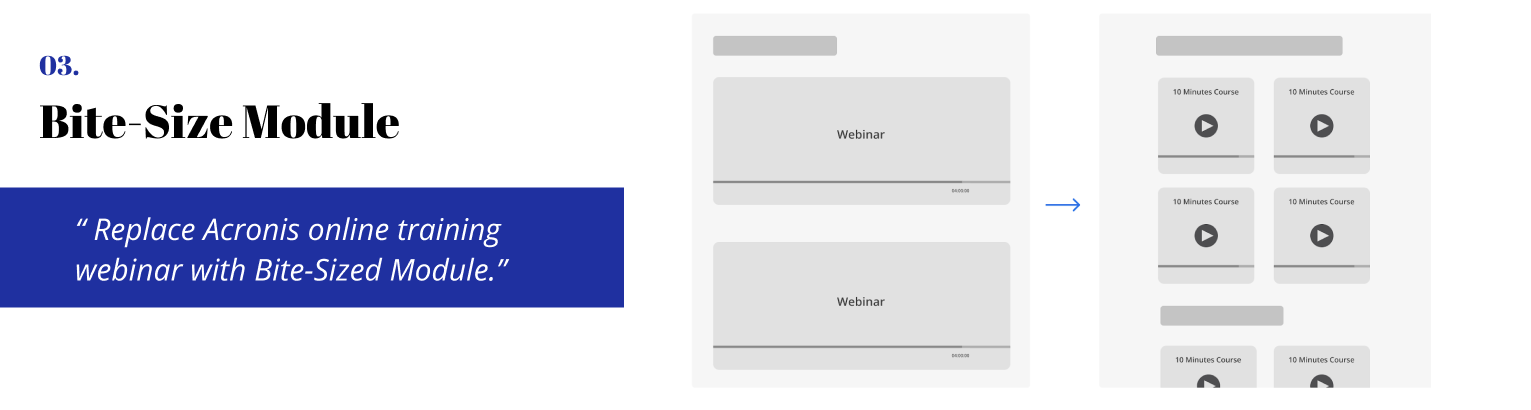
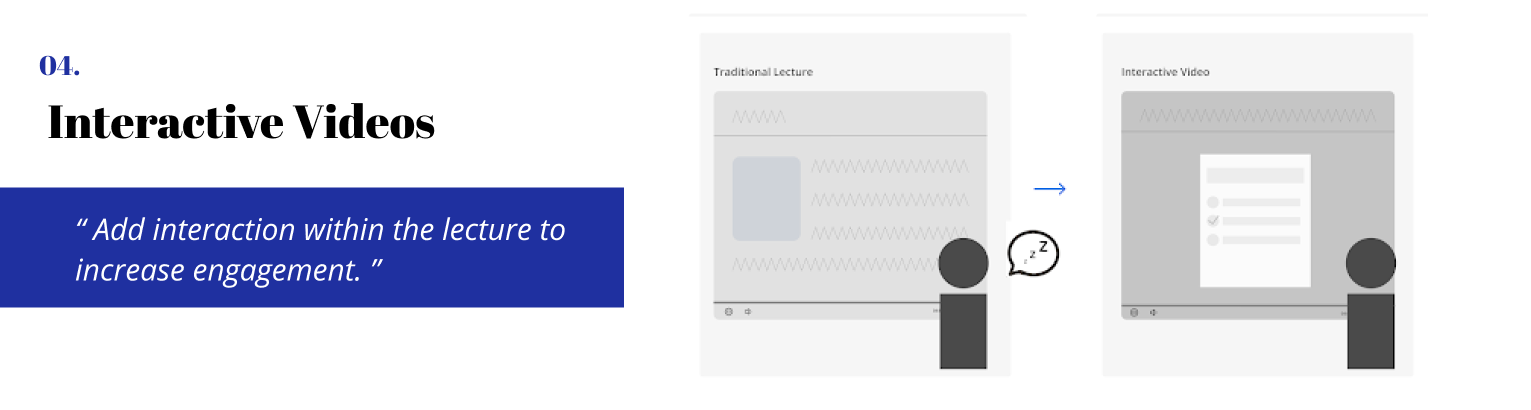
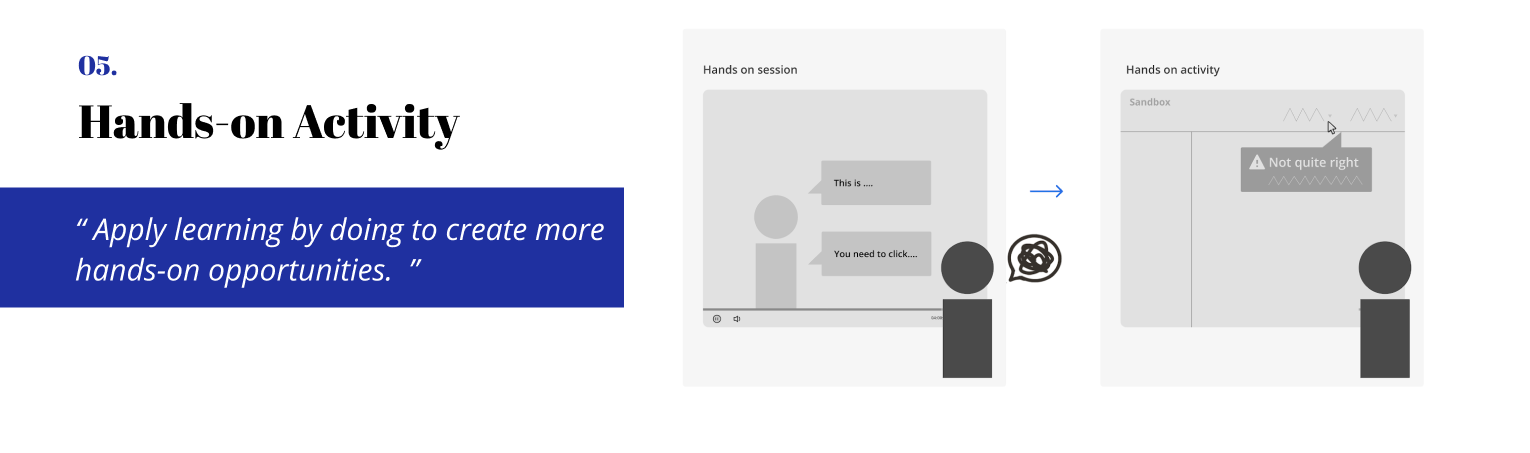
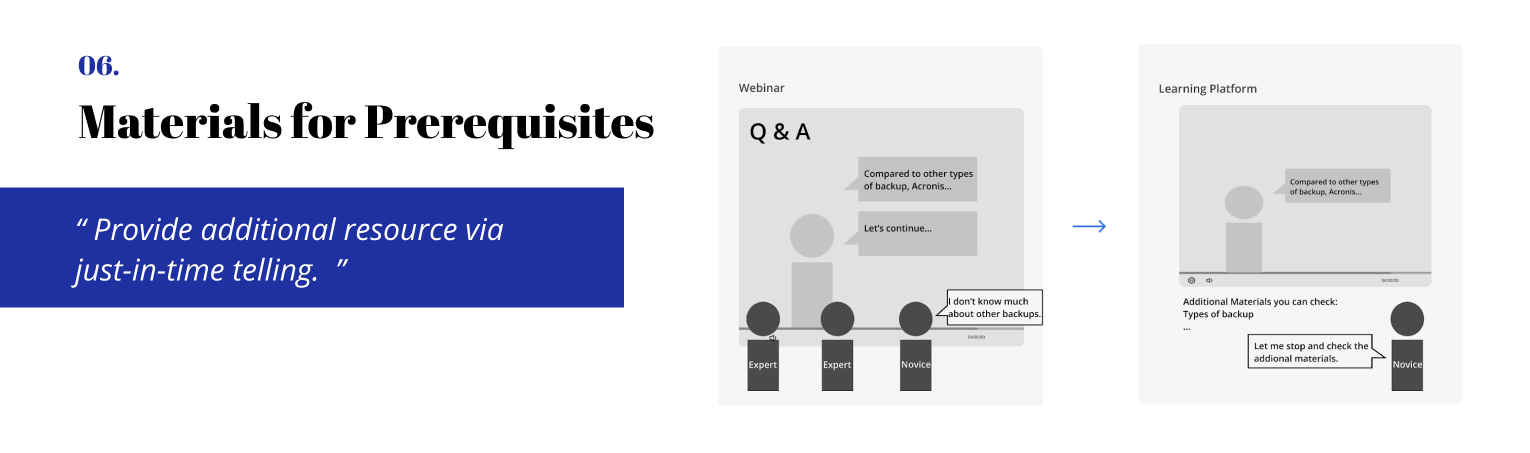
Which ideas should we design?
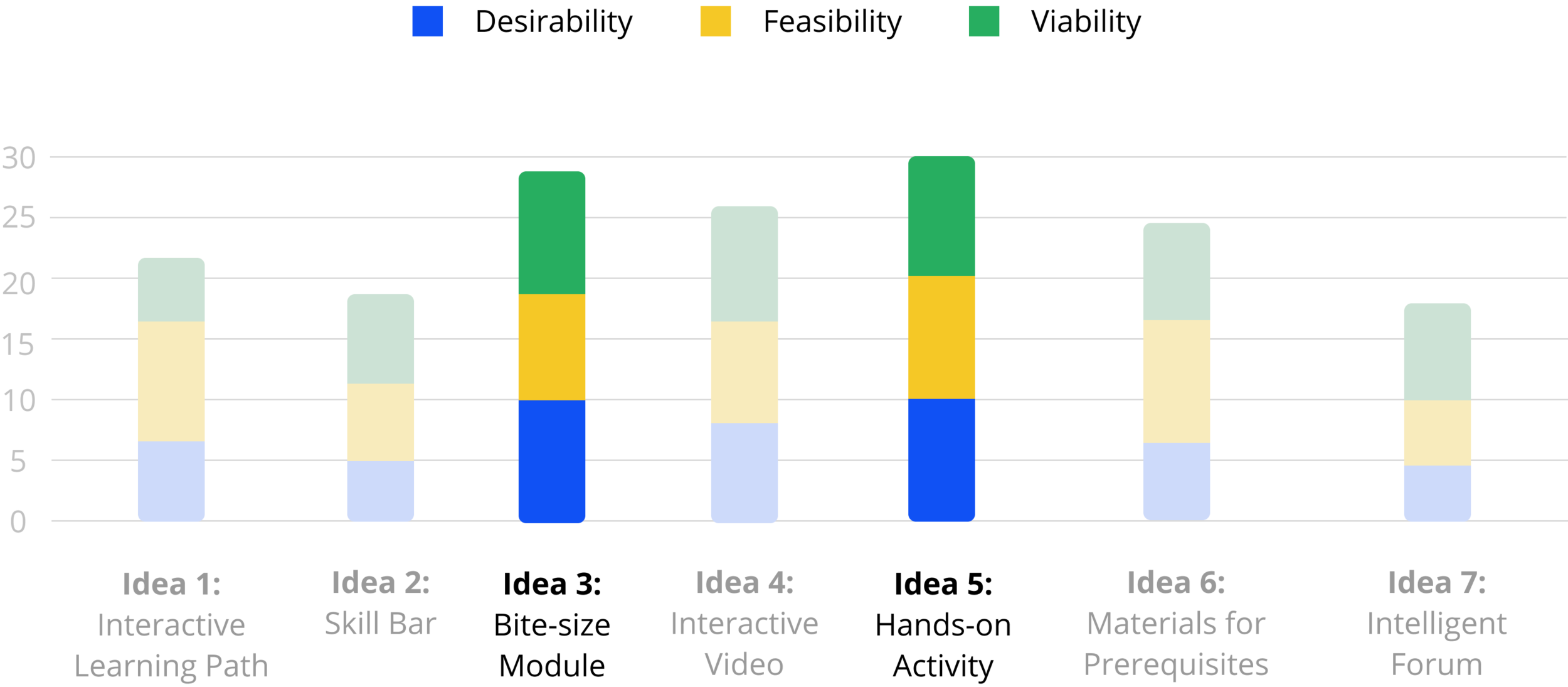
We presented our work to Acronis team (CTO, PM, Trainers, Curriculum Designers, Engineers) remotely in May, and let them help us evaluate our ideas from feasibility and desirability perspectives. By evaluating their feedback and ratings as well as balancing our takeaways, we decided to go with hands-on activity within bite-sized module which can provide learners with an engaging real-work scenario learning experience.

Design Phase Timeline
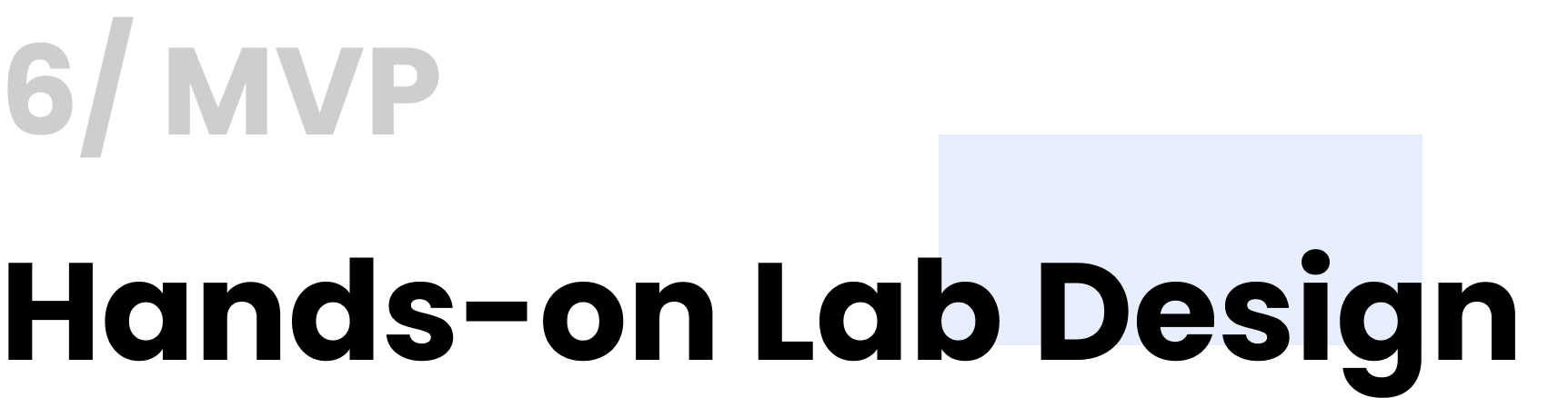
Brainstorm potential features
- Sketches (Parallel Design)
With the parallel design technique, we created an initial design and sketches from the same set of requirements. Each of us worked independently and, when finished, shared our concepts with the group.
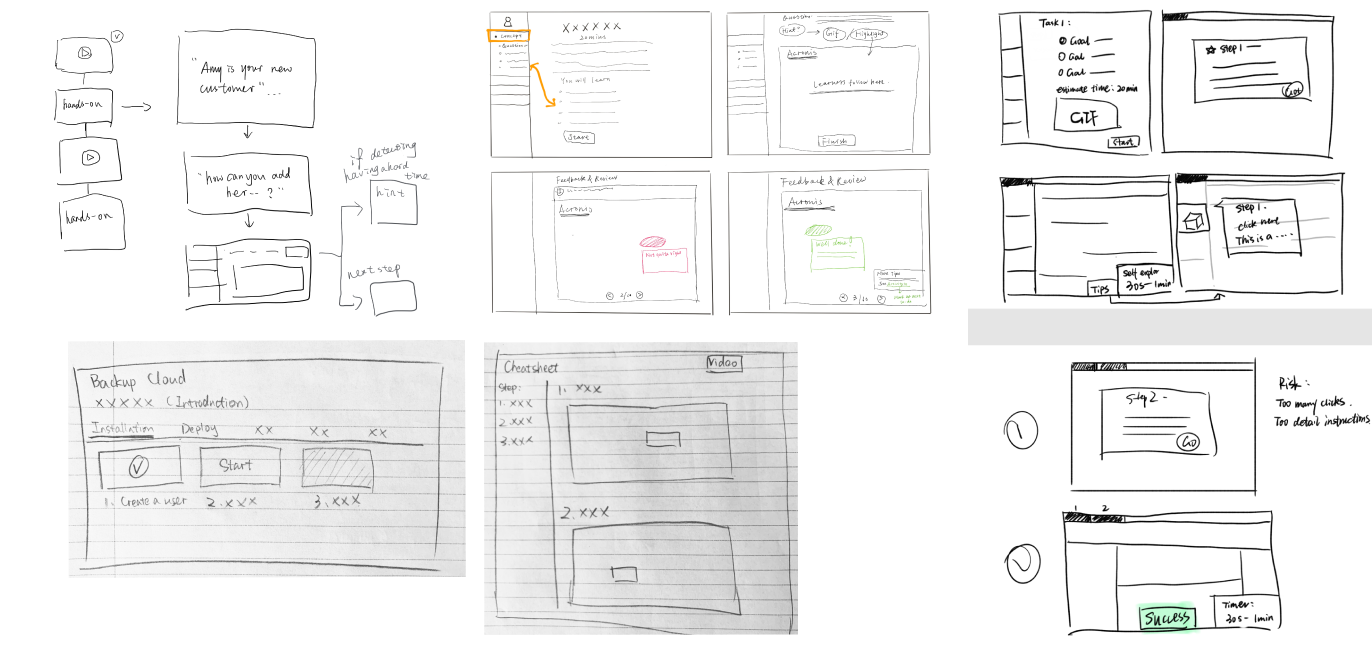
Mid-fi prototyping to test the concept
-Low-fi and Mid-fi Prototyping & A/B Testing
We used the low-fi prototype to gauge the intuitiveness of the user interactions with the interface. We as a team generated two different big directions: click-through training platform vs integrating the lab into the instructional video. We conducted A/B testing and think aloud to see how users interact with different formats.

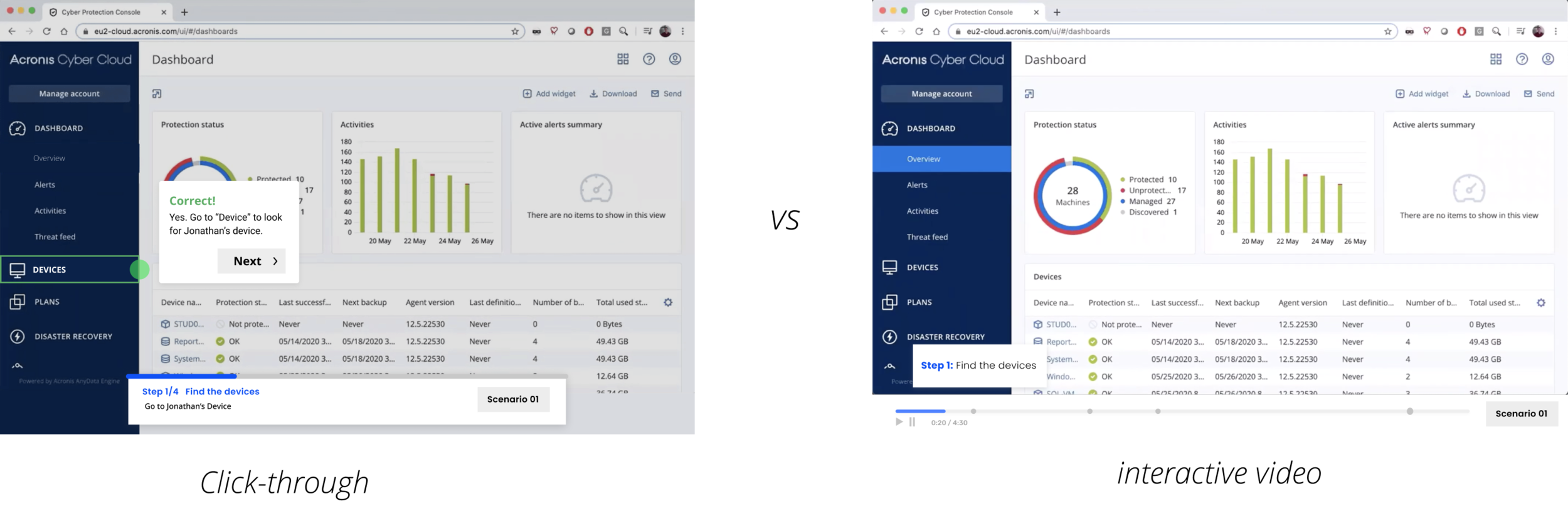
Main Takeaway: novice learners prefer the video while expert learners prefer the click-through
01. Novice learners prefer the interactive video because they think a video can provide more valuable information.
02. Expert learners prefer the click-through as they think watching a video will waste a lot of time if it’s mandatory.
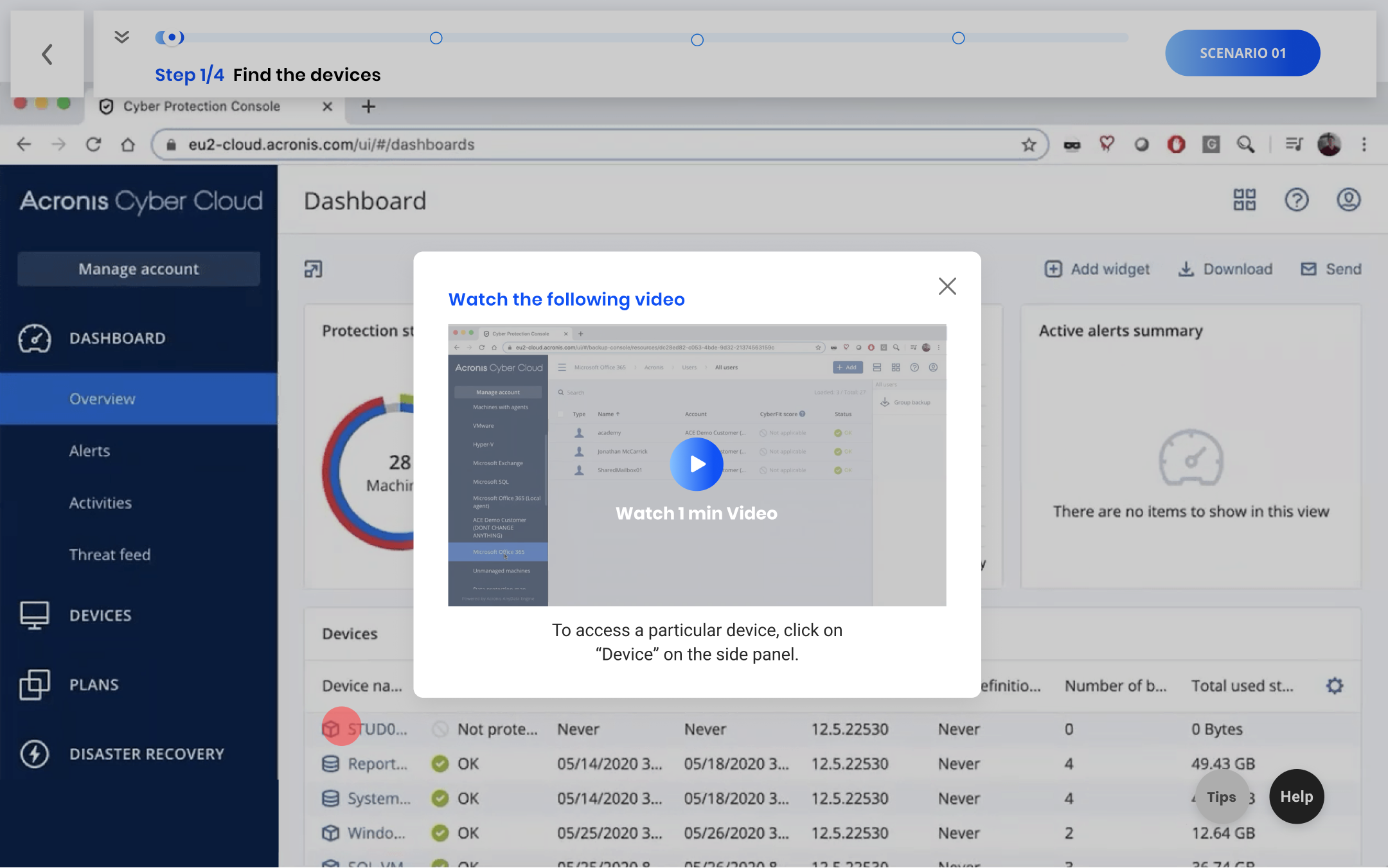
Design Decision 01: Integrate bite-sized videos into the click-through if the learners keep making mistakes for three times
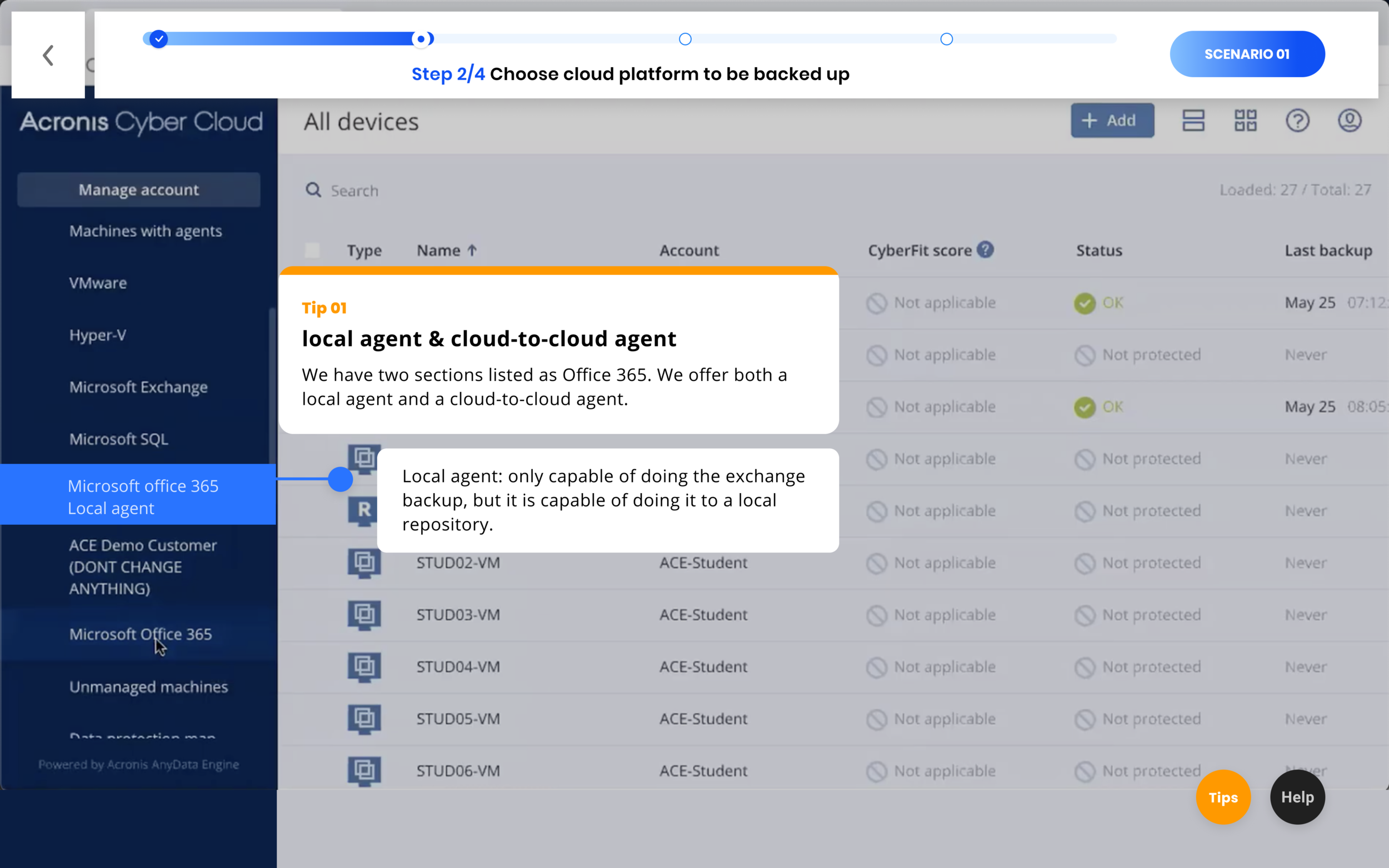
Design Decision 02: Adding tips to convey important conceptual knowledge for a certain step
Visual Design
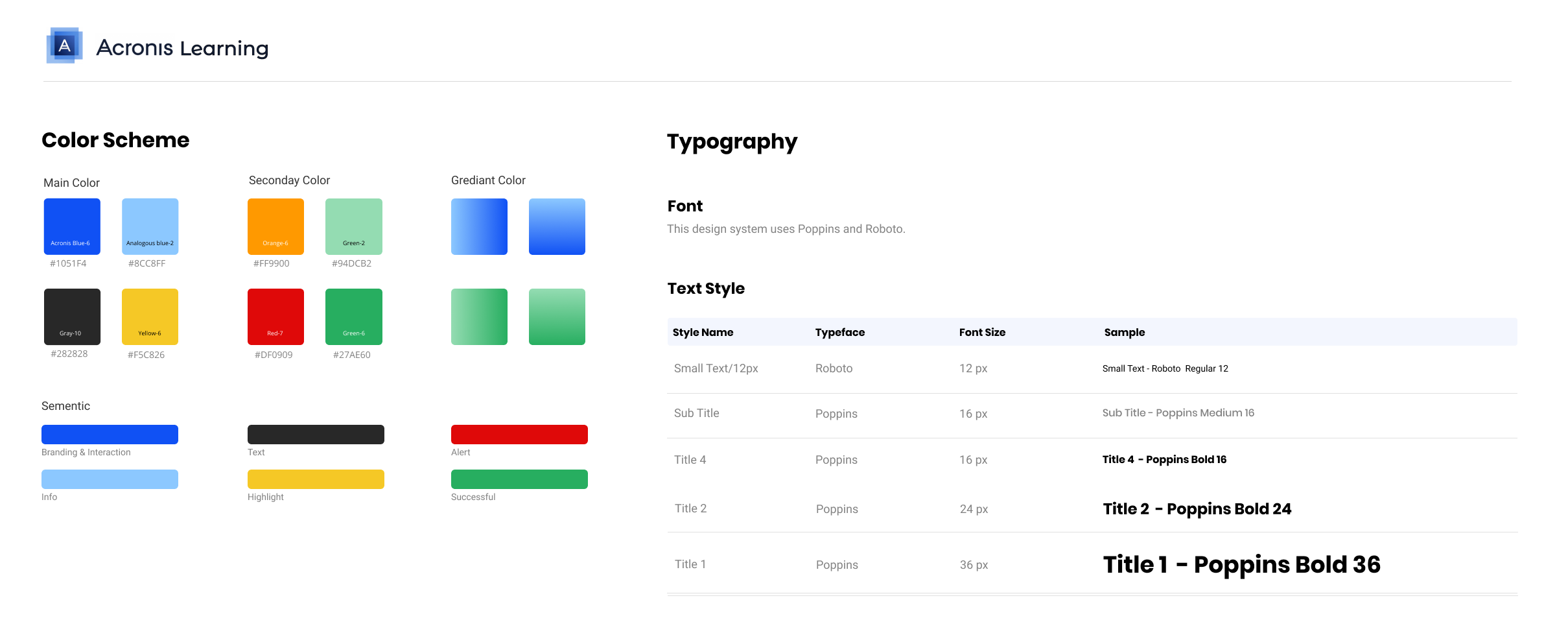
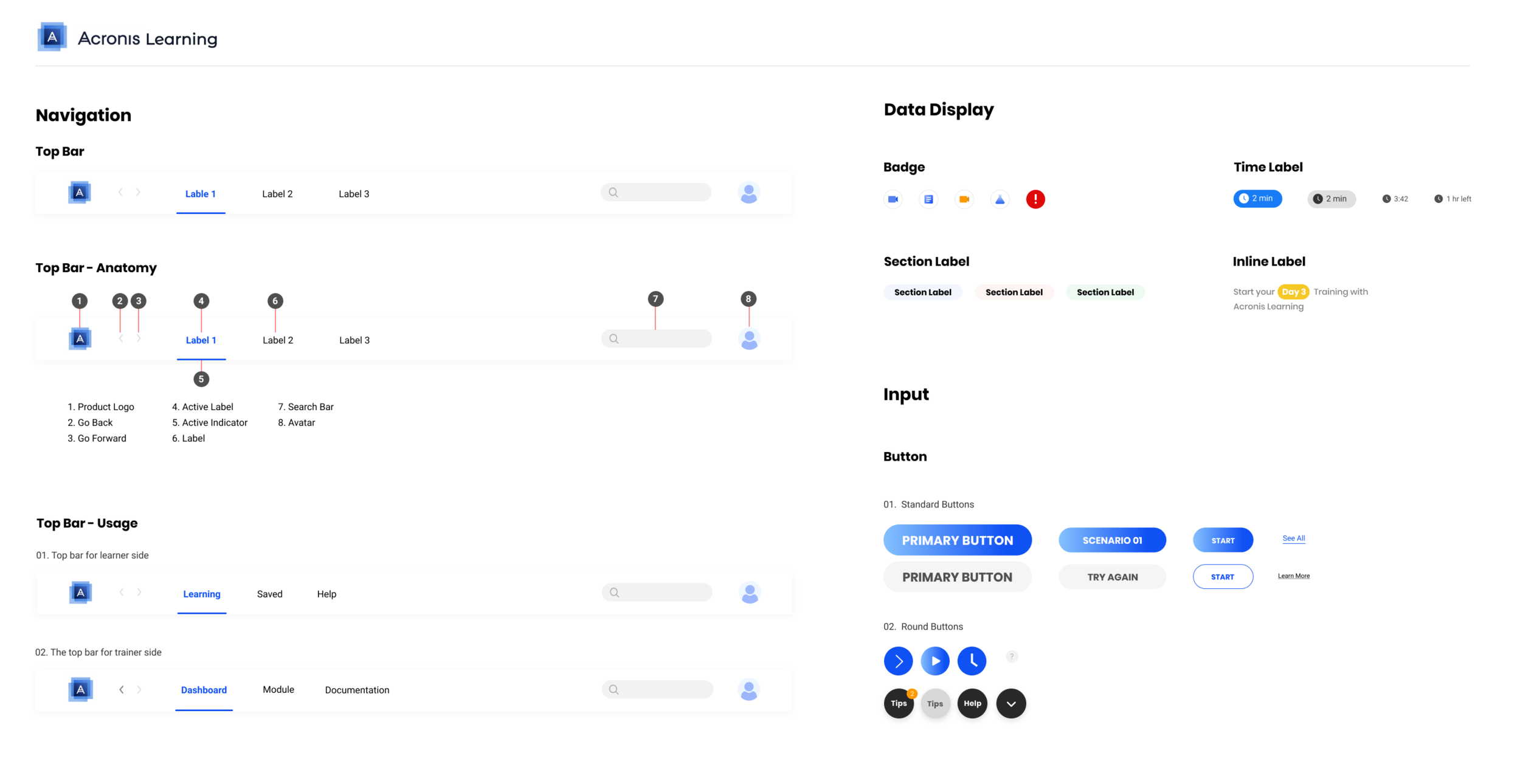
Based on our result for now, we started to consolidate our design into a design system. For the font, we used Poppins as the display type and Roboto as the text type. For the color, we used Acronis blue as the main color to represent branding and interaction; analogous blue to represent the info; yellow to highlight; red to alert; and green to show success.
Main features Iteration
01: Scenario Card Iteration
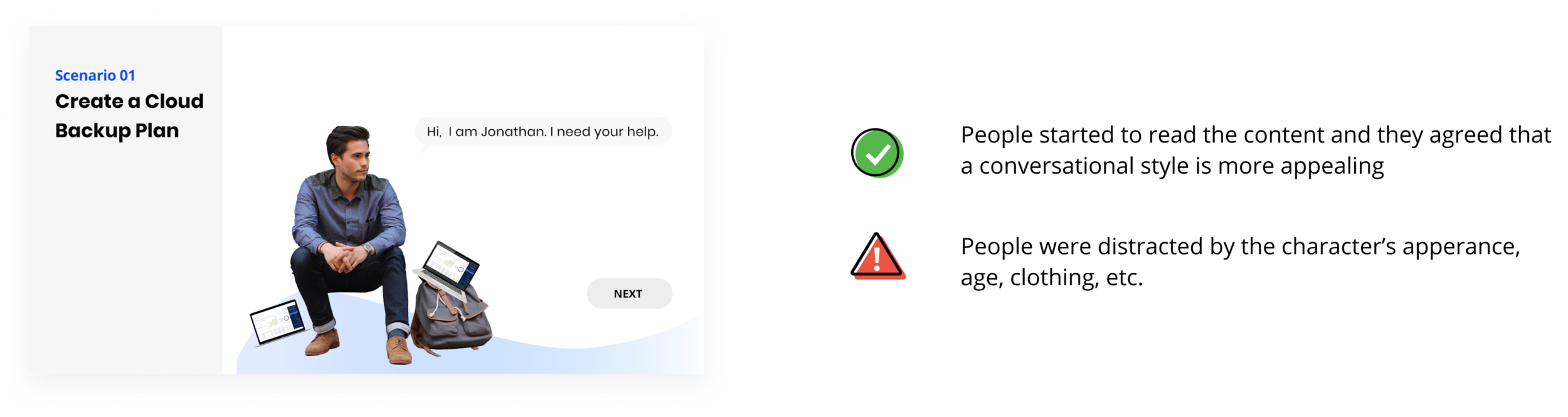
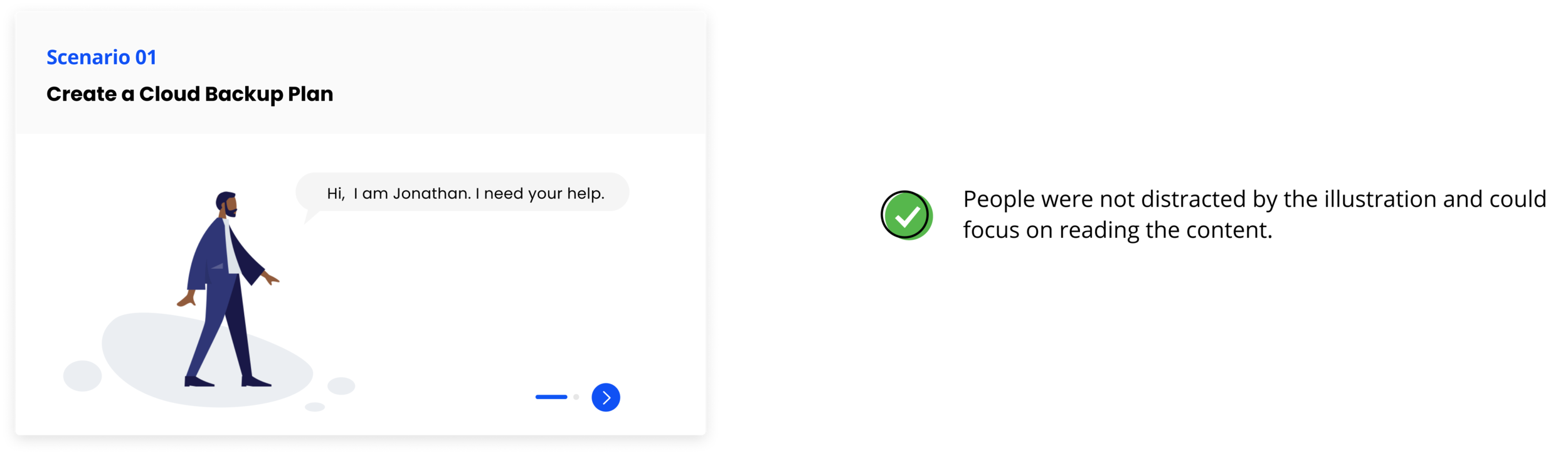
We aimed to deliver the learning task to learners in real-world scenarios. It aligns with the main goal of learners: they want to apply what they learnt to the real task in their jobs. The real world task, motivates the learning.
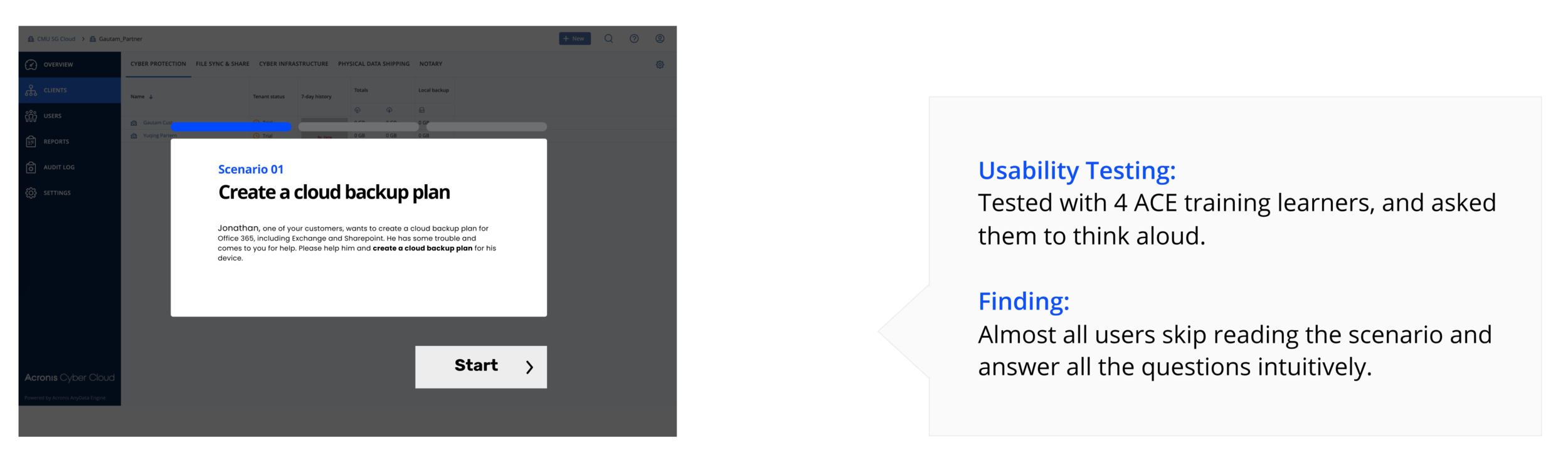
Iteration 1 : A conversational style and a real character
Final Iteration: A conversational style and a flat illustration
02. Feedback Card Iteration
Give instant feedback after each step to provide information about learning performance and actions to take.
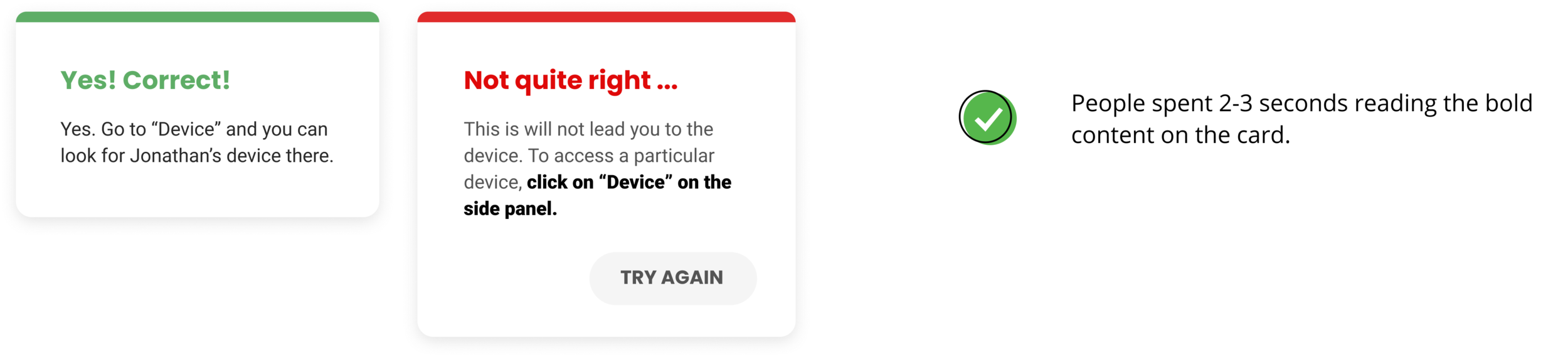
We designed the feedback cards for each step to help the learners know how they performed and understand why it’s correct or how to approach to the correct actions.
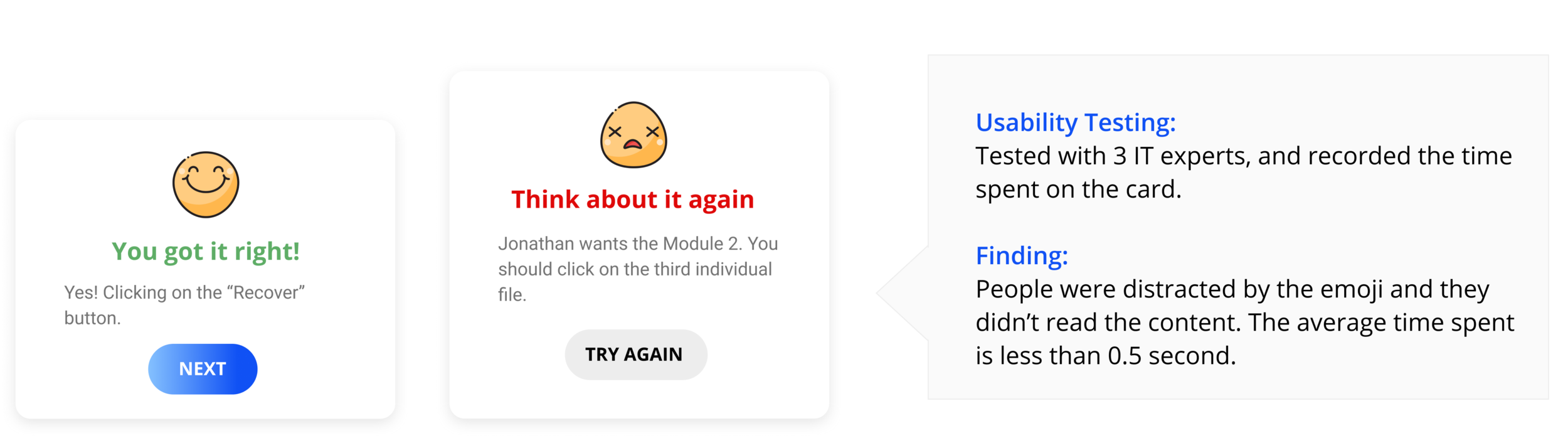
Iteration 1 : Feedback with colored title chunk
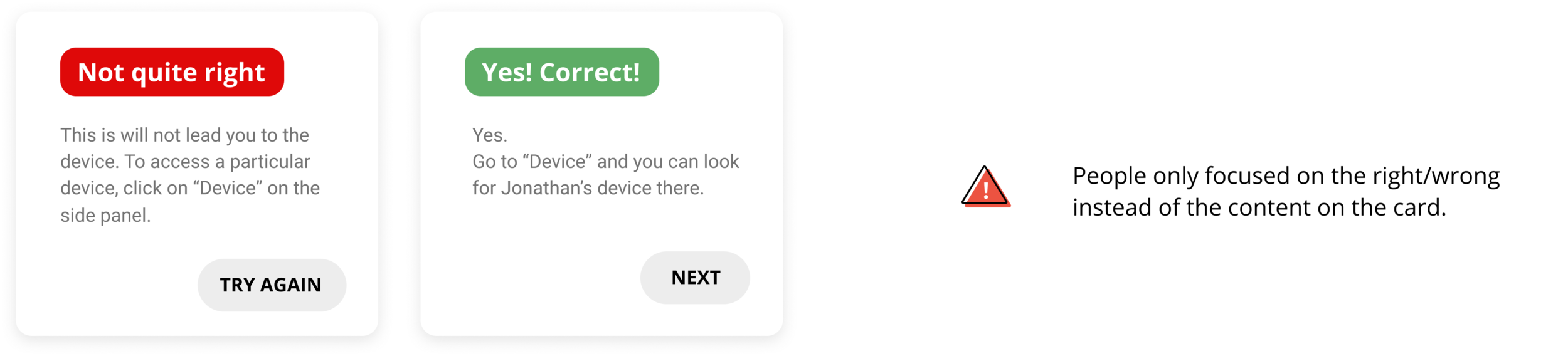
Final Iteration: Less emphasis on right/wrong, more focused on the feedback content
Designing hands-on activity required us to brainstorm not only the design but also how we would integrate it into the whole platform. We created information architecture and user flow. (Click to enlarge)

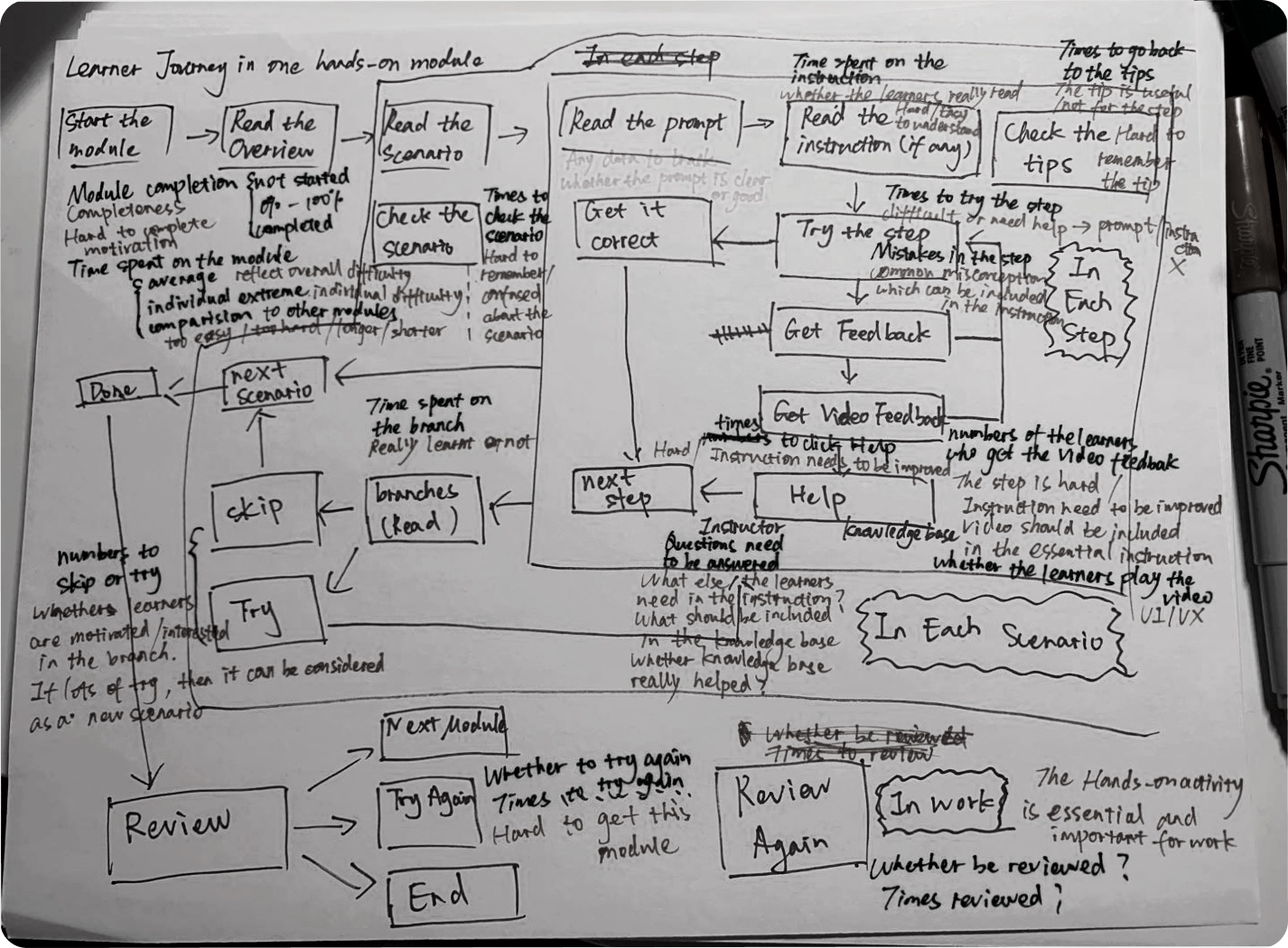
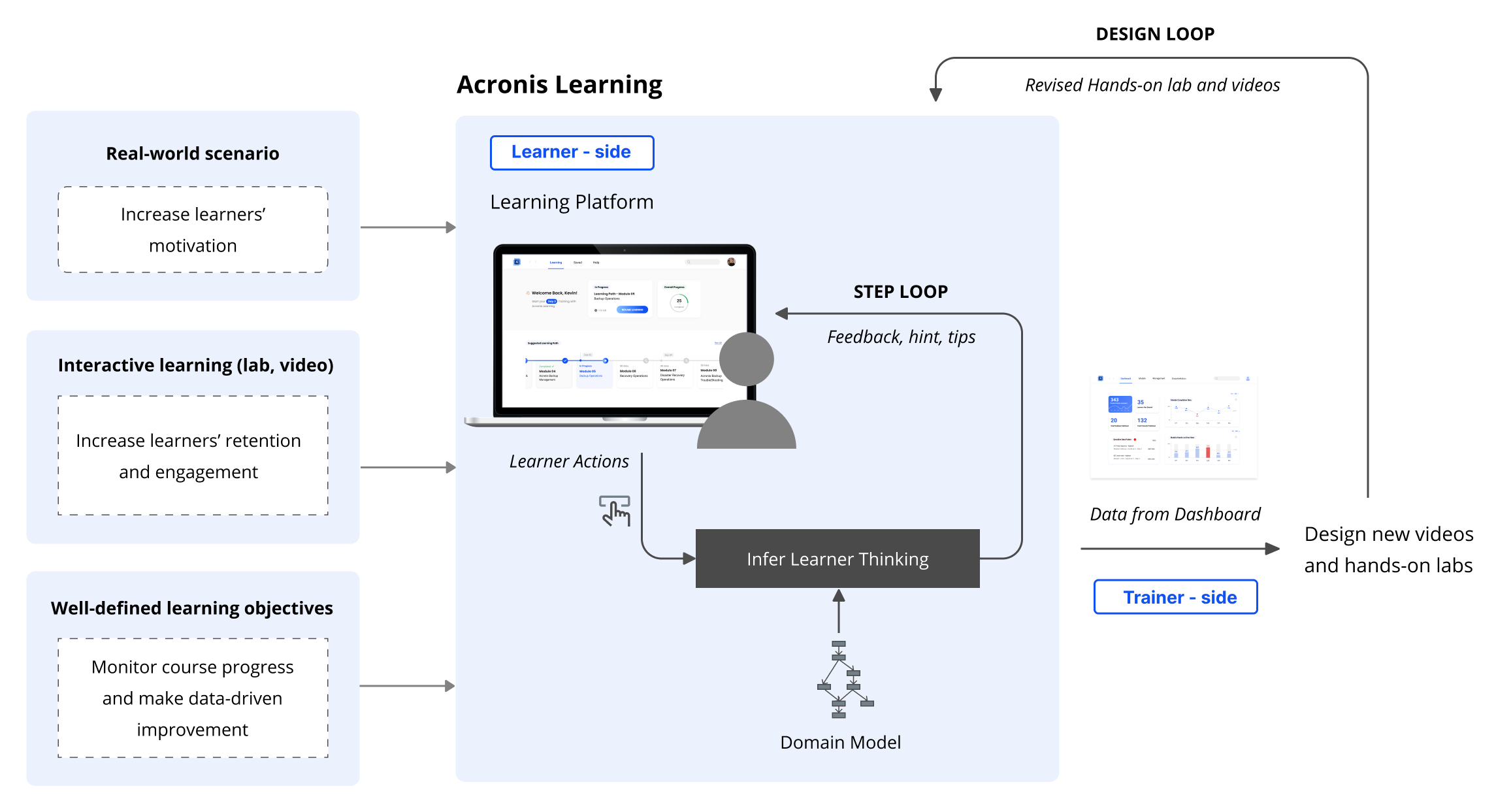
How the learning ecosystem we designed create continuous value?
For every learner action, the system will infer learner thinking and give feedback, hints and tips for that step (step loop). After multiple learners have interacted with the system, data will be recorded by the platform which can be displayed in the dashboard to the trainer. The trainer can then make data-driven decisions to improve the Acronis training by revising the videos and hands-on lab (design loop).
Product Video
Evaluate User Experience
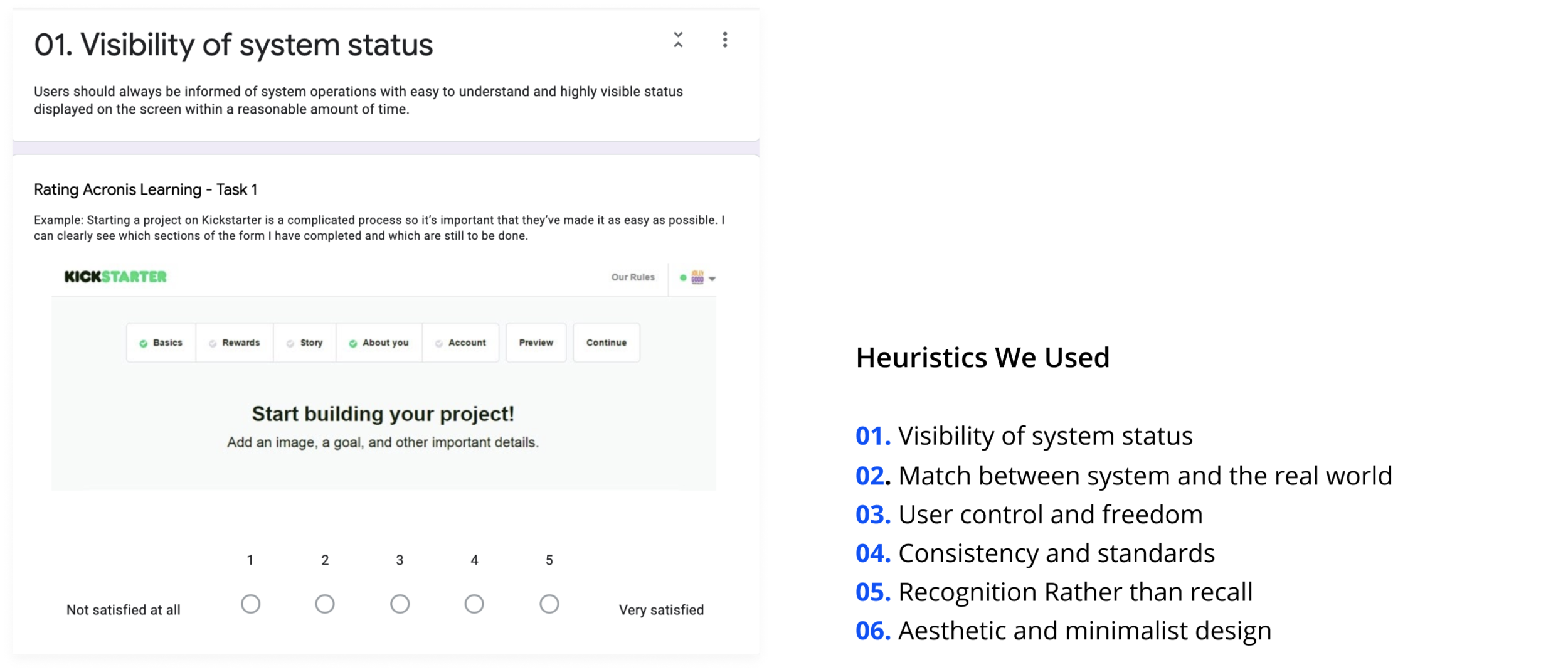
-Heuristic evaluation for specific tasks
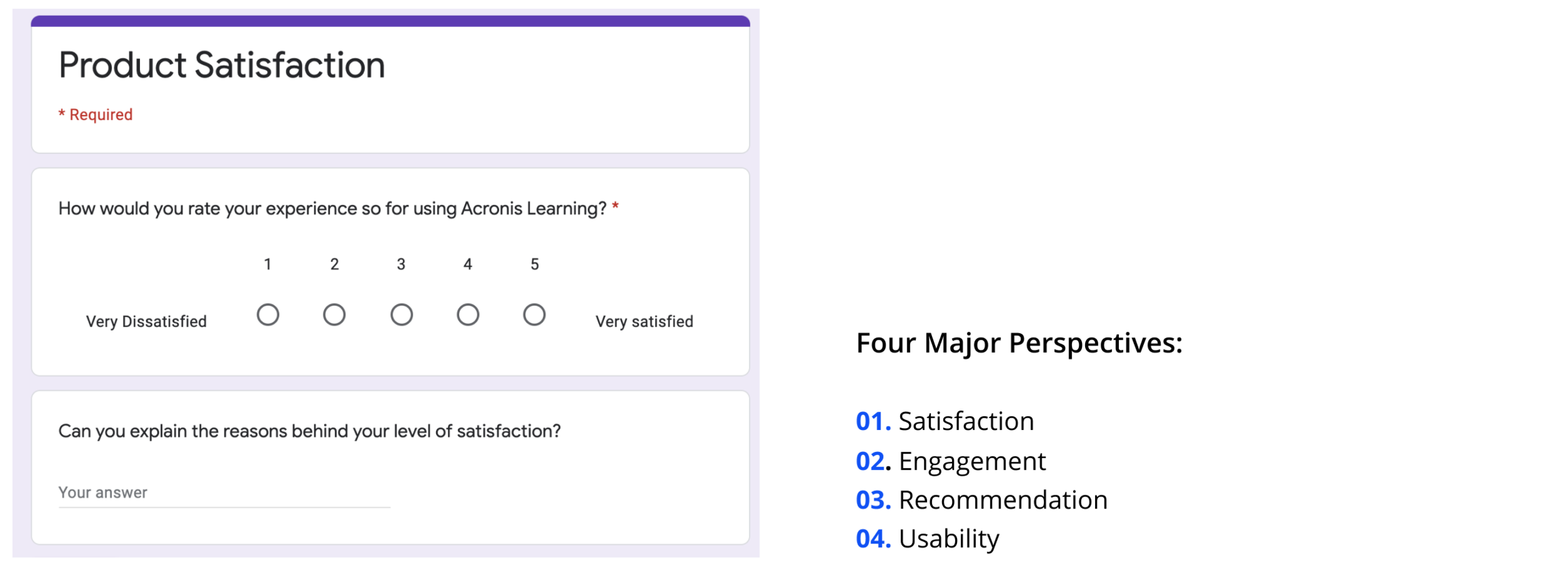
After we finalized our design throughout two round testing, we conducted final evaluation by letting the users and testers rate the usability and design for specific tasks and also evaluate the overall product experience from satisfaction, engagement and usability perspectives.
-Overall product experience evaluation
Communication with non-design background client
Our client didn’t know what to expect at the beginning and knew nothing about the design process. As a result, instead of just showing the deliverables, I learnt that it’s important to explain to them what does each step mean and why they are valuable.
Decide the design sequence of a complex platform under time-constraint
From the ideal journey map, we decided to create a learning platform for our clients. However, instead of starting from the big picture, we designed a detailed hands-on activity first. We spent many time testing and iterating this MVP. After finalizing the hands-on activity, we started to think about the big picture and MVP for trainers.
Design coordination
I collaborated with two other designers in our team and we used parallel design method. I learned how to convince other designers and better sell my ideas during the designers’ meeting.
Wearing more than the designer hat
Besides UX/UI designer, I also worked as a user research lead and front-end developer for our product website. I learned that how to see a problem from different perspectives.